
improve your site’s SEO Key Takeaways
If you think search engine optimization requires a big budget or a team of experts, think again.
- You don’t need to hire an agency to improve your site’s SEO ; small, consistent changes add up.
- Focus on content quality, technical basics, and user experience rather than shortcuts or tricks.
- Track your progress with free tools like Google Search Console and adjust as you learn.
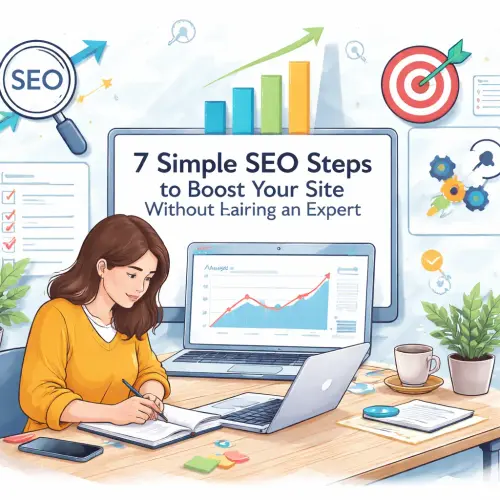
Why Learning to Improve Your Sites SEO Yourself Matters
Hiring an SEO professional can cost hundreds or even thousands of dollars per month. For small businesses, freelancers, and bloggers, that’s often out of reach. The good news? You can handle the fundamentals yourself. When you learn the basics, you save money, gain control, and build a skill that pays off long-term.
Search engines like Google want to show users the most relevant, trustworthy results. Your goal is to make your site easy for both people and search bots to understand. That means clear content, fast load times, and a logical structure. The seven steps below cover exactly that, plus a few extra strategies to help you stand out.
Step 1: Start With Keyword Research — No Fancy Tools Required
Before you write a single word, know what your audience is searching for. Simple SEO steps begin with understanding the language your potential visitors use. You don’t need expensive software; free options like Google’s Keyword Planner, Ubersuggest, or even the “People also ask” section on Google give you plenty of ideas.
How to Find the Right Keywords
Think about the core topics of your site. For each topic, list the questions or phrases someone might type into Google. For example, if you run a bakery, your list might include “easy sourdough recipe,” “gluten-free bread near me,” or “how to store fresh bagels.” Use those phrases naturally in your page titles, headings, and body text.
Prioritize long-tail keywords — longer, more specific phrases. They often have lower competition and higher conversion rates. Instead of targeting “shoes,” aim for “comfortable women’s walking shoes for flat feet.” You’ll attract visitors who know exactly what they want. For a related guide, see 5 Quick SEO Fixes to Boost Your Website Ranking Faster.
Actionable tip: Pick one primary keyword per page and two or three related secondary keywords. Write your content around them, but keep it natural. Forced repetition hurts readability and can trigger search engine penalties.
Step 2: Write Content That Answers Real Questions
Once you have your keywords, create content that genuinely helps your reader. Improve your site’s SEO by solving a problem, teaching a skill, or providing valuable information. Search engines reward pages that keep visitors engaged.
Content Structure for SEO
Use your target keyword in the first 100 words, in at least one subheading, and naturally throughout the body. Break up text with bullet points, short paragraphs, and images with descriptive alt text. This makes your page scannable for humans and gives search bots clear signals about your topic.
Internal Linking Strategy
Link to other relevant pages on your own site. For instance, if you mention a previous post about on-page SEO, link to it. Internal links help search engines discover all your content and pass authority between pages. They also keep visitors on your site longer.
Actionable tip: Aim for one internal link per 200–300 words. Use descriptive anchor text like “learn how to optimize your page titles” instead of “click here.”
Step 3: Optimize Your Page Titles and Meta Descriptions
Your page title and meta description are the first things searchers see in the results. They influence whether someone clicks your link. Improve site SEO without hiring a professional by crafting these elements carefully.
Page Title Best Practices
Keep your title under 60 characters so it doesn’t get cut off in search results. Place your primary keyword near the beginning. Write a title that promises a specific benefit: “7 Simple SEO Steps to Boost Your Site Without Hiring an Expert” is clearer than “SEO Tips.” For a related guide, see 6 Advanced SEO Techniques to Boost Rankings and Traffic.
Meta Description Guidelines
Aim for 150–160 characters that summarize the page’s value. Include your keyword once, but focus on enticing the reader. Think of it as a mini-advertisement for your content. For example: “Learn 7 simple, actionable steps to improve your site’s SEO on your own. No hiring needed—just clear, trustworthy advice to boost rankings and traffic.” For a related guide, see Improve Your Website S User Experience For Seo: 5 Simple UX Improvements for SEO: Boost Rankings Today.
Actionable tip: Write your title and meta description before you write the post. This forces you to stay focused on the main promise you’re making.
Step 4: Make Sure Your Site Loads Fast
Site speed is a confirmed Google ranking factor. A one-second delay in page load time can reduce conversions by 7% according to research by Think with Google. You don’t need a developer to speed things up.
Quick Wins for Faster Load Times
Compress images before uploading them. Use a free tool like TinyPNG or Squoosh to reduce file size without losing quality. Enable browser caching through your hosting provider or a plugin like WP Rocket or W3 Total Cache. Finally, check your site with Google’s PageSpeed Insights — it gives specific recommendations tailored to your site.
Actionable tip: Aim for a mobile load time under 2.5 seconds. Google uses mobile-first indexing, meaning it primarily evaluates the mobile version of your site.
Step 5: Use Headings to Create a Clear Structure
Headings help readers scan your content and tell search engines which topics you consider most important. A proper heading hierarchy makes it easier to improve your site’s SEO. Use H1 for your page title (which your theme usually sets automatically), H2 for main sections, H3 for subsections, and so on.
Common Heading Mistakes
Don’t skip levels — for example, jumping from H2 to H4 without an H3 in between. This confuses both readers and bots. Also, avoid stuffing keywords into every heading. Write headings that are descriptive and useful, like “How to Choose Between Free and Paid SEO Tools” instead of “SEO Tools.”
Actionable tip: After writing a post, review your headings as an outline. Does the structure make logical sense? If not, rearrange sections until the flow feels natural.
Step 6: Secure Your Site With HTTPS
HTTPS encrypts data between your server and your visitor’s browser. Google treats HTTPS as a ranking signal, and many users look for the padlock icon in their address bar before trusting a site. If your site still runs on HTTP, now is the time to switch.
How to Switch to HTTPS
Most hosting providers offer free SSL certificates through Let’s Encrypt. You can enable it via your hosting control panel or ask support to install it. After switching, update your site URL in WordPress settings and set up a 301 redirect from HTTP to HTTPS to avoid broken links.
Actionable tip: Use a plugin like Really Simple SSL to handle redirects and fix mixed content warnings automatically.
Step 7: Track Your Progress With Free Tools
You can’t improve your site’s SEO effectively without measuring what works. Fortunately, several excellent free tools exist. Google Search Console shows you which queries bring visitors, how often your pages appear, and whether Google finds any errors. Google Analytics reveals user behavior on your site — bounce rate, time on page, and conversions.
What to Monitor Regularly
Check Search Console weekly for new issues like crawl errors or manual penalties. Look at your top-ranking pages and see if you can improve their click-through rates by updating titles or adding internal links. Over time, you’ll learn which content resonates most with your audience.
Actionable tip: Set a monthly reminder to spend 30 minutes reviewing your data. Small, consistent analysis beats an all-day deep dive once a year.
Common DIY SEO Mistakes to Avoid
Even with the best intentions, beginners sometimes fall into traps. Here are a few pitfalls to sidestep when you follow this DIY SEO guide for beginners:
- Keyword stuffing: Using your keyword too often makes content sound unnatural and can trigger penalties. Keep density under 2%.
- Ignoring mobile users: More than half of all web traffic comes from mobile devices. Test your site on a phone.
- Neglecting meta descriptions: Leaving the meta description blank means Google might pull random text. Write a custom one every time.
- Forgetting about images: Unoptimized images slow your site. Always compress and add descriptive alt text.
Useful Resources
To further your learning, check out these free, credible guides:
- Google’s SEO Starter Guide — the official word on what Google recommends.
- Moz’s Beginner’s Guide to SEO — a comprehensive, easy-to-follow resource covering all basics.
Take Action and Start Improving Today
You don’t need a big budget or a specialist to improve your site’s SEO. Each of the seven steps above is something you can start doing right now — even if you only have 30 minutes. Pick one step, implement it today, and move to the next tomorrow. Over weeks and months, these small actions compound into significant growth.
The best time to start was yesterday. The second best time is now. Choose a page, apply one tip, and watch your traffic begin to shift.
Frequently Asked Questions About improve your site’s SEO
How long does it take to see results from DIY SEO?
Typically 3 to 6 months for noticeable ranking improvements, though some changes (like fixing broken links) can help within weeks.
Do I need to know coding to improve my site’s SEO?
No. Most essential SEO tasks — writing titles, optimizing images, using headings — require zero coding knowledge.
Can I rank #1 without hiring a professional?
Yes, especially for low-competition keywords. With consistent effort on quality content and technical basics, many sites reach top positions on their own.
What is the most important SEO factor for beginners?
Content relevance. If your page matches what the searcher wants, other factors like links and speed become secondary helpers.
How often should I update old blog posts for SEO?
Review your top-performing pages every 6 to 12 months. Refresh statistics, add new examples, and improve readability.
Should I use an SEO plugin?
Yes, especially if you use WordPress. Plugins like Yoast SEO or Rank Math guide you through on-page optimization.
What’s the difference between on-page and off-page SEO?
On-page SEO refers to changes on your own site (content, titles, speed). Off-page SEO involves external signals like backlinks and social shares.
Is backlink building necessary for small sites?
Backlinks help, but beginners can focus on creating shareable content and reaching out to other sites for guest posts or collaborations.
Can too many internal links hurt my SEO?
No, as long as links are relevant. Overloading with unrelated links may confuse users but doesn’t directly penalize you.
What is a 301 redirect and when do I use it?
A 301 redirect permanently sends visitors and search bots from one URL to another. Use it when you move or delete a page.
Does social media activity affect SEO rankings?
Social signals aren’t a direct ranking factor, but they increase visibility and can lead to more backlinks, which do help.
How do I check if my site is penalized by Google?
Log into Google Search Console. A manual action notice would appear under the “Security and Manual Actions” section.
Should I delete low-performing pages?
First try improving them. If a page has no traffic and is outdated or irrelevant, redirect it to a better page.
What is alt text and why does it matter?
Alt text describes an image for screen readers and search bots. It helps your images appear in image search results and improves accessibility.
How do I know which keywords my competitors rank for?
Free tools like Ubersuggest or the “Sites also viewed” feature in Search Console give you clues without spending money.
Do I need a sitemap for SEO?
Yes. An XML sitemap helps search engines discover all your pages. Most SEO plugins generate one automatically.
What’s the role of user experience in SEO?
User experience metrics like bounce rate and time on page indirectly influence rankings. Google wants satisfied visitors.
Can I use AI tools for SEO content?
Yes, but always edit and fact-check AI-generated text. Google rewards original, human-value content over purely automated output.
How do I fix broken links on my site?
Check your site’s health with Google Search Console or a plugin like Broken Link Checker. Then update or remove the broken URLs.
What’s the easiest SEO win for a new website?
Publish one high-quality article per week targeting a specific long-tail keyword. Consistency beats sporadic volume.