
AI tools for Google Business Profile optimization Key Takeaways
Google Business Profile (GBP) remains a cornerstone of local SEO, and the right AI tools for Google Business Profile optimization can dramatically improve your visibility, customer engagement, and ranking.
- AI-driven platforms streamline review management and response generation, saving hours each week.
- Advanced analytics tools use machine learning to uncover insights that boost local search rankings.
- Content scheduling with AI ensures consistent, relevant posts that keep your profile fresh and engaging.
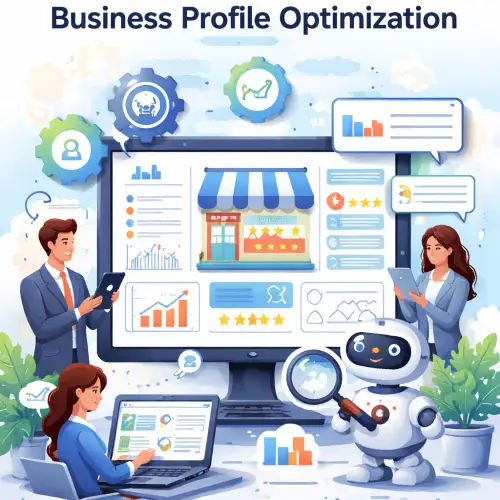
Why AI Tools for Google Business Profile Optimization Matter in 2025
Local search has become fiercely competitive. Businesses that actively manage their GBP profiles see higher click-through rates, more phone calls, and increased foot traffic. However, manually handling review responses, posting updates, and analyzing performance is time-consuming. That’s where AI tools for Google Business Profile optimization come in. They automate repetitive tasks, provide data-driven recommendations, and help you stay ahead of algorithm changes. For a related guide, see 7 Proven AI-Powered CTR Optimization Tips for Higher Click-Through Rates.
In 2025, Google’s local search algorithm places even more emphasis on recency, relevance, and reputation signals. AI tools can help you maintain all three without burning out your team. Whether you run a single location or a multi-location enterprise, these tools offer scalable solutions that adapt to your needs.
Top Categories of GBP AI Optimization Software
To choose the right local SEO AI software, it helps to understand the main categories available. Each addresses a specific pain point in GBP management.
Profile Optimization Tools
These tools analyze your current GBP listing and suggest improvements for categories, description, attributes, and photos. They often use natural language processing to ensure your business name, address, and phone number (NAP) are consistent across the web. For example, tools like BrightLocal and Yext use AI to scan for inaccuracies and recommend optimizations that align with Google’s guidelines.
Practical tip: Run a profile audit monthly. Many optimization tools flag missing attributes (e.g., “free Wi-Fi” or “outdoor seating”) that can improve your relevance for specific searches.
Analytics and Insights Platforms
Understanding how customers find and interact with your profile is key to improving performance. AI-powered analytics tools go beyond basic views and clicks. They segment data by search query, device type, and time of day. Some even predict future trends based on historical performance.
For instance, Google Business Profile optimization tools like Uberall and Rio SEO provide dashboards that highlight which keywords drive the most calls and which photos generate the most engagement. Using these insights, you can adjust your strategy in real time.
Review Management and Response Automation
Reviews heavily influence both consumer trust and local rankings. AI tools can automatically sort reviews by sentiment, flag urgent negative feedback, and even draft personalized responses using natural language generation. This ensures you respond quickly and appropriately without sounding robotic.
Notable examples include Reputation.com and Podium. They allow you to set response templates that feel human, and their AI learns from your past replies to improve tone over time.
Content Scheduling and Post Automation
Posting regular updates—offers, events, new products—signals to Google that your business is active. AI content schedulers, like the one built into Semrush Local or Hootsuite, analyze your audience’s engagement patterns and suggest optimal posting times and content formats. Some even generate captions and hashtags based on your brand voice.
Practical tip: Use AI to repurpose top-performing social posts into GBP updates. This saves time and ensures consistent messaging across channels.
Actionable GBP AI Optimization Guide: Step-by-Step
Ready to apply these tools? Follow this step-by-step process to get the most out of AI tools for Google Business Profile optimization.
Step 1: Audit Your Current Profile
Before adding any tools, know your baseline. Use a free audit tool like the one from BrightLocal or Whitespark to check for completeness. Note missing fields, inconsistent NAP, and outdated photos. For a related guide, see Seo Audit Tools: 10 Trusted Answers for First-Time Readers.
Step 2: Choose a Primary Optimization Platform
Select one tool that covers the core categories—optimization, analytics, and review management. For most small to mid-size businesses, platforms like GBP AI optimization guide recommendations often include Semrush Local or BrightLocal’s all-in-one plan. They bundle the essential features without overwhelming you.
Step 3: Integrate Review Monitoring
Connect your chosen tool to Google’s API (most do this automatically). Set up sentiment alerts so you’re notified when a negative review appears. Enable automated response drafting but always review before posting.
Step 4: Activate Content Scheduling
Schedule at least two posts per week—one promotional, one informational. Use AI to generate post text and images. Track which posts generate the most engagement and refine your content mix accordingly.
Step 5: Monitor and Iterate
Check analytics dashboards weekly. Look for changes in search impressions, direction requests, and phone calls. If a certain keyword or category drives more traffic, invest more in that area. AI tools often surface these opportunities automatically.
Common Mistakes When Using Local SEO AI Software
Even the best local SEO AI software can underperform if used incorrectly. Avoid these pitfalls.
- Over-automating responses: AI-generated replies should be reviewed for tone. A generic “Thank you for your feedback” response to a detailed negative review can hurt your reputation.
- Ignoring photo quality: AI can schedule posts, but blurry or irrelevant images still harm your profile. Always upload high-resolution, relevant photos.
- Setting and forgetting: AI tools need human oversight. Review alerts and recommendations regularly to ensure they align with your evolving business goals.
Best Practices Checklist for Google Business Profile optimization tools
Use this quick checklist to ensure you’re making the most of your Google Business Profile optimization tools.
| Category | Task | Frequency |
|---|---|---|
| Profile | Verify NAP consistency across all citations | Monthly |
| Reviews | Respond to 100% of reviews within 24 hours | Daily |
| Posts | Publish at least 2 posts per week | Weekly |
| Photos | Upload 3+ new photos each month | Monthly |
| Analytics | Review top-performing queries and adjust targeting | Weekly |
| Q and A | Monitor and answer customer questions | Weekly |
Useful Resources
For further reading on AI tools for Google Business Profile optimization and local SEO strategies, check out these external guides:
AI tools for Google Business Profile optimization are no longer a luxury—they are a necessity for any local business serious about growth. By leveraging the right combination of optimization, analytics, review management, and content scheduling tools, you can maintain a polished, high-performing profile that attracts more customers and outranks competitors. Start with an audit, choose a platform that fits your scale, and commit to regular monitoring. The effort pays off in more phone calls, more direction requests, and ultimately, more revenue.
Frequently Asked Questions About AI tools for Google Business Profile optimization
What are AI tools for Google Business Profile optimization?
AI tools for Google Business Profile optimization use machine learning and automation to help you manage and improve your GBP listing. They cover tasks like review monitoring, performance analytics, content scheduling, and profile auditing.
How do AI tools improve local search rankings?
They consistently optimize your profile signals—reviews, posts, attributes—and provide insights that help you target the right keywords. This signals relevance and authority to Google’s local search algorithm.
Are AI tools expensive?
Pricing ranges from free (limited features) to $100–$500 per month for comprehensive platforms. Many offer tiered plans that scale with your business size and needs.
Can AI tools respond to reviews automatically?
Yes, most review management tools can draft and publish responses automatically. However, best practice is to review each response before it goes live to maintain a personal touch.
Do these tools work for multiple locations?
Absolutely. Enterprise platforms like Uberall and Rio SEO are built specifically for multi-location management, offering centralized dashboards and location-specific insights.
What is the difference between AI optimization tools and manual optimization?
Manual optimization requires you to analyze data and execute changes yourself. AI tools automate data collection, pattern recognition, and even content creation, saving significant time and reducing human error.
How do I choose the best AI tool for my business?
Start by identifying your biggest pain point—reviews, analytics, or content. Then compare tools based on ease of use, integrations, and support for your number of locations. Most offer free trials.
Is AI-generated content for GBP posts effective?
Yes, when properly tuned. AI can generate engaging post copy and suggest high-performing keywords. Always add a human review to ensure brand voice and accuracy.
Can AI tools detect fake reviews?
Some advanced platforms use AI sentiment analysis and pattern detection to flag suspicious reviews. However, Google ultimately decides whether to remove a review after you report it.
Do AI tools guarantee a #1 local ranking?
No tool can guarantee a specific ranking. AI tools increase your chances by surfacing optimization opportunities, but other factors like proximity, competition, and overall SEO strategy also matter.
How often should I use AI analytics to review performance?
Weekly reviews are ideal. Most tools offer dashboards that update in real time, so you can spot trends quickly without waiting for monthly reports.
Are there free AI tools for GBP optimization?
Yes. Google’s own Business Profile dashboard includes basic insights. Third-party tools like Whitespark offer limited free audits, and some review platforms have free tiers with caps.
What metrics should I track with AI analytics?
Focus on search impressions, direct vs. discovery views, direction requests, phone calls, booking clicks, and review sentiment trends. These reveal how customers interact with your profile.
Can AI tools help with GBP Q and A management?
Some platforms monitor and suggest answers for common questions. You can set up automated responses for frequently asked topics, but always verify accuracy before publishing.
Do AI tools integrate with other SEO software?
Most reputable tools integrate with Google Search Console, Google Analytics, and popular CRM systems. Check the integrations list before purchasing to ensure compatibility.
How long does it take to see results from AI-driven GBP optimization?
Initial improvements in review response time and posting consistency can be seen within a week. Ranking changes typically take 4–6 weeks as Google re-crawls and re-evaluates your profile.
Is there a risk of getting penalized for using AI tools?
No, as long as you follow Google’s guidelines. Avoid auto-generated posts with spammy offers, and ensure review responses are honest. Reputable tools design their features to comply with Google’s policies.
Can I use AI tools if I manage a service-area business?
Yes. Most tools support service-area businesses by allowing you to set a service radius and manage multiple location pages if you serve different regions.
What role does AI play in photo optimization for GBP?
AI can analyze photo quality, labels, and engagement. Some tools suggest the best times to upload new images and recommend subjects that perform well based on competitor analysis.
How do I train an AI tool to match my brand voice?
Platforms like Podium and Reputation.com allow you to upload brand guidelines or sample responses. Their AI learns from your edits over time, improving tone alignment with each use.