
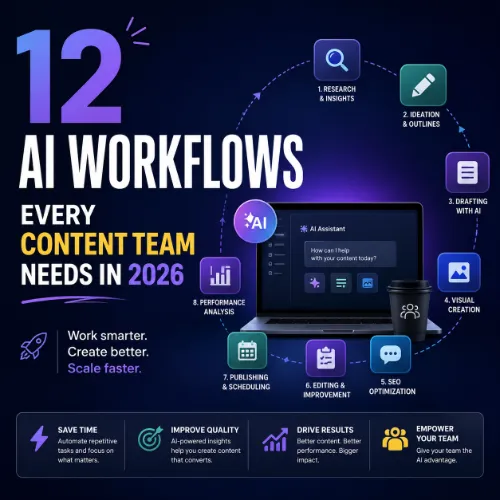
AI workflows for content teams Key Takeaways
Content teams today face relentless pressure to produce more, faster, and with consistent quality.
- Adopting AI workflows for content teams helps reduce research time by up to 40% and accelerates drafting without sacrificing editorial standards.
- The best workflows blend AI tools with human oversight — automated research, drafting, review, and distribution loops keep quality high.
- Start with one or two workflows, measure impact, and expand gradually to avoid overwhelming your team with tool fatigue.
Why AI Workflows for Content Teams Matter Right Now
The content production game has changed. Audiences expect more personalized, well-researched, and frequent updates from brands. At the same time, teams are often asked to do more with the same headcount. That is where AI workflows for content teams step in as a practical solution — not to replace writers, but to handle repetitive research, formatting, and data-gathering tasks.
When used correctly, these workflows create a rhythm where AI assists with the first 60 percent of a task, and a human editor refines the remaining 40 percent. This balance keeps content authentic and fact-checked while dramatically cutting production cycles.
What Makes a Workflow “AI-Powered”?
An AI-powered workflow uses machine learning or natural language processing (NLP) tools to automate at least one step in the content lifecycle. It could be as simple as using an AI summarizer to extract key points from a long report, or as complex as a multi-step system that generates outlines, drafts, SEO meta tags, and social snippets from a single brief.
The goal is always the same: reduce manual labor without reducing quality.
The 12 AI Workflows Your Content Team Should Implement
Below are twelve proven workflows. Each includes an overview of what it does, a step-by-step approach to get started, and the key benefits you can expect. For a related guide, see 15 Proven Affiliate SEO Strategies for 2026 to Boost Earnings.
1. AI-Assisted Topic Research and Clustering
Overview: Instead of manually digging through search results and social trends, your team can feed a seed topic into an AI tool that surfaces related queries, subtopics, and content gaps.
Step-by-step:
- Input a core topic into a tool like Ahrefs Content Explorer or a topic clustering algorithm.
- Export a list of related keywords and cluster them into pillar pages and supporting posts.
- Review the clusters with your editorial team to prioritize high-opportunity areas.
Key benefits: Cuts research time in half, ensures topic coverage, and aligns content with actual search demand.
2. Automated Content Brief Creation
Overview: Move beyond loose outlines. An AI workflow can generate detailed briefs that include target keywords, competitor content summaries, suggested headings, and even tone guidelines. For a related guide, see 11 Affiliate SEO Mistakes That Kill Revenue – Avoid These Now.
Step-by-step:
- Set up a template in your project management tool with fields for target audience, primary keyword, and desired length.
- Use an AI brief generator to populate the template based on top-ranking articles.
- Have a senior editor review and adjust the brief before assigning it to a writer.
Key benefits: Writers get clear direction, reduce back-and-forth revisions, and publish articles that are more competitive from day one.
3. AI-Powered First Draft Generation
Overview: Use a language model to produce a rough draft from a structured brief. This draft serves as a starting point, not a finished piece.
Step-by-step:
- Feed the completed brief into an AI writing tool (such as Claude or ChatGPT) with specific instructions about tone, format, and key points to include.
- Wait for the draft, then paste it into your editing platform.
- The writer revises the draft, adds original insights, and fact-checks all claims.
Key benefits: Writers overcome blank-page syndrome and can allocate more time to polishing and adding unique value.
4. Real-Time Grammar and Style Correction
Overview: Integrate an AI proofreading tool directly into your content management system or editing pipeline to catch errors and enforce brand voice.
Step-by-step:
- Install a tool like Grammarly or ProWritingAid on your team’s editing platform (e.g., Google Docs, WordPress).
- Set up custom style rules based on your brand guidelines.
- Encourage every team member to run the checker before submitting their work for final review.
Key benefits: Reduces time spent on copy editing, improves consistency, and helps new team members learn the brand voice faster.
5. Automated SEO Metadata and Schema
Overview: Generate optimized meta titles, descriptions, and structured data (Schema markup) for every piece of content using an AI tool that analyzes the article content and target keyword.
Step-by-step:
- After the article is finalized, paste the text into an SEO metadata generator.
- Review the suggested title and description to ensure they match the article’s main intent.
- Copy the structured data snippet into a schema validator, then add it to your CMS.
Key benefits: Saves hours of manual metadata writing and helps pages rank better with properly formatted Schema.
6. AI-Driven Content Personalization
Overview: Create dynamic content variations for different audience segments based on browsing behavior, geography, or past interactions.
Step-by-step:
- Use a personalization engine that integrates with your CRM and website analytics.
- Define audience segments (e.g., new visitors vs. returning customers, industry verticals).
- Let the AI suggest content blocks or CTAs tailored to each segment, then test them with A/B campaigns.
Key benefits: Higher engagement rates, better conversion, and a more relevant experience for each visitor.
7. Automatic Social Media Snippet Generation
Overview: Extract key quotes and highlights from newly published content and turn them into platform-specific social posts.
Step-by-step:
- Connect your content calendar to a social media management tool that supports AI posting (e.g., Buffer or Hootsuite with AI features).
- After a post is published, the tool reads the content and suggests 3-5 social snippets.
- Your social media manager selects the best options, adjusts for character limits, and schedules them.
Key benefits: Eliminates the manual work of writing social copy for every article and ensures consistent promotion across channels.
8. Visual Asset Creation with AI
Overview: Use an AI image generator to produce on-brand visuals for blog posts, social graphics, and presentations without waiting for a designer.
Step-by-step:
- Write a detailed prompt that describes the image style, color palette, and subject relevant to the article.
- Generate a few variations and pick the best one.
- Use an editing tool to add text overlays or company logos before publishing.
Key benefits: Speeds up the design queue and empowers writers to own their visual assets.
9. AI-Enhanced Content Repurposing
Overview: Transform a long-form article into multiple formats — a LinkedIn carousel, a short video script, a podcast outline, or a newsletter summary — with minimal effort.
Step-by-step:
- Copy the full article text into a content repurposing tool.
- Select the target formats you need (e.g., Twitter thread, email teaser, slide deck).
- Review and tweak each output to fit the specific platform’s audience and formatting rules.
Key benefits: Maximizes the reach of every content piece without requiring extra hours of rewriting.
10. Automated Performance Monitoring and Alerts
Overview: Set up an AI agent that monitors content performance metrics (traffic, engagement, rank changes) and sends alerts when a page drops or spikes unexpectedly.
Step-by-step:
- Connect your analytics and SEO tools to a dashboard that supports custom alerts (e.g., Google Data Studio with automated email triggers).
- Define thresholds (e.g., traffic drop > 20% in 2 days, rank drop out of top 10).
- When an alert fires, a team member reviews the page and decides whether to update, redirect, or refresh it.
Key benefits: Proactive content maintenance keeps your library healthy and prevents unnoticed traffic loss.
11. AI-Powered Editorial Calendar Intelligence
Overview: Use AI to suggest the best publishing dates and cadence based on historical performance data, seasonal trends, and audience availability.
Step-by-step:
- Feed your editorial calendar and past performance data into an AI scheduling module.
- Receive recommendations for which topics to publish in specific months to capture peak search interest.
- Adjust your calendar accordingly, and review monthly to refine predictions.
Key benefits: Data-driven scheduling reduces guesswork and improves the chances that your content lands when the audience is most receptive.
12. Automated Translation and Localization
Overview: Scale your content into multiple languages using AI translation that is then reviewed by a native speaker.
Step-by-step:
- Export your source article in a structured format (e.g., CSV or JSON).
- Use a neural machine translation tool like DeepL or a custom AI model to generate a first pass in each target language.
- Hand off each translation to a native-speaking editor for cultural adaptation and accuracy checks.
Key benefits: Enables international expansion at a fraction of the cost of traditional translation agencies.
SEO Entities and Their Functions
When implementing AI workflows for content teams, understanding SEO entities helps you choose the right tools and metrics to track. Below are key entities and what they do for analysis and decision-making.
- Keyword entities: Organic and paid keywords, keyword difficulty (KD), search volume, CPC, and SERP features reveal demand, competition, and ranking opportunity.
- Backlink entities: Referring domains, anchor text, dofollow/nofollow links, and broken backlinks help you evaluate authority and identify link-building prospects.
- Page entities: Top pages (by traffic or links), broken pages, and internal pages show which URLs earn visibility or need repair.
- Content entities: Articles, authors, topics, and social shares help measure editorial quality and engagement.
- Technical SEO entities: Crawl issues, redirect chains, canonical tags, Core Web Vitals, and indexability status expose obstacles that prevent crawling or ranking.
Useful Resources
- Ahrefs SEO Tips and Guides – A regularly updated resource with practical advice on keyword research, link building, and technical SEO.
- Google SEO Starter Guide – Official documentation covering best practices for making your site more search-engine friendly.
Frequently Asked Questions About AI workflows for content teams
What exactly are AI workflows for content teams?
AI workflows are automated sequences that use artificial intelligence to handle specific tasks in the content production process, such as research, drafting, editing, and distribution. They are designed to augment human effort, not replace it.
How do I start using AI workflows without disrupting my current team?
Start small. Pick one workflow — for example, AI-assisted topic research — and test it with a single writer for two weeks. Gather feedback, measure time saved, and then expand to the next workflow.
Will AI workflows make my content sound generic?
They can if you rely on AI output without editing. The key is to treat AI as a first draft generator. Always have a human writer or editor review, add original insights, and adjust the tone to match your brand.
What tools do I need to build AI workflows?
There is no single tool. Common components include a language model for writing (like ChatGPT or Claude), an SEO tool (like Ahrefs or Semrush), a grammar checker (Grammarly), and a project management platform (Asana, Trello).
How do AI workflows handle content personalization?
AI personalization engines analyze user data (browsing history, location, past purchases) and dynamically adjust content blocks, headlines, or CTAs for different visitor segments.
Can AI workflows help with content repurposing?
Absolutely. AI can extract key points from a long article and reformat them into social posts, video scripts, newsletter summaries, or slide decks, saving hours of manual rewriting.
Are AI workflows expensive to set up?
Costs vary. Basic workflows using free or low-cost tools (like ChatGPT, Grammarly, and Google Sheets) can be set up for under $50 per month. More advanced enterprise solutions may cost hundreds per month.
How do I ensure quality control when using AI?
Implement a two-stage review process: first, an automated check with a grammar and style tool; second, a human editor who verifies facts, tone, and brand alignment before publication.
Should I use AI to generate entire blog posts?
Generally, no. AI-generated text often lacks depth and original perspective. Use it for outlines, first drafts, or sections, then have a real writer rewrite and add unique value.
Do AI workflows work for small content teams?
Yes, they are especially valuable for small teams that need to produce more content without hiring more people. Automating research, drafting, and repurposing helps each team member focus on high-impact work.
What is the biggest mistake teams make when adopting AI workflows?
The most common mistake is expecting perfect output from the AI right away. Treat it as an assistant that needs clear instructions and human review to produce professional results.
Can AI workflows help with SEO directly?
Can AI workflows help with SEO directly is covered in the guide above with practical context, useful examples, and details readers can use to make a better decision.
How do I train my team to use AI workflows?
Start with a one-hour training session on the chosen tool, then provide a simple cheat sheet with prompts and best practices. Pair each team member with a buddy for the first week of implementation.
Are there legal concerns with AI-generated content?
Yes, especially around copyright and plagiarism. Always run AI-generated text through a plagiarism checker and ensure you have the rights to use any data or images the AI produced.
Can AI workflows handle video content?
They can assist with script writing, caption generation, and even basic video editing (e.g., auto-clipping highlights). Full AI video creation is still evolving but becoming more capable.
How do I measure the ROI of AI workflows?
Measure time saved per task (e.g., research reduced from 2 hours to 30 minutes), increase in content output per week, and changes in engagement or conversion rates after implementation.
Do I need coding skills to set up AI workflows?
No. Most tools have no-code interfaces. You can connect them using pre-built integrations (Zapier, Make) or simple extensions.
What is the difference between an AI workflow and an AI tool?
An AI tool is a single piece of software (like an AI writer). A workflow is a sequence of steps that may involve multiple tools and human actions to complete a content task from start to finish.
How do I keep my brand voice consistent when using AI?
Create a brand voice document that the AI is prompted to follow. After generation, have a human editor ensure the output matches your guidelines before publishing.
What is the future of AI workflows in content creation?
Expect deeper integration with content management systems, more accurate personalization, and advanced multimodal workflows that handle text, images, and video in a single pipeline.