
Image optimization Key Takeaways
Proper image optimization improves your site’s loading speed, user experience, and search rankings.
- Optimized images can reduce page load time by up to 40%, directly boosting Core Web Vitals and organic traffic.
- Descriptive alt text improves accessibility and gives search engines context, making your images eligible for Google Image Search.
- Consistent naming conventions and modern formats like WebP and AVIF future-proof your media library.
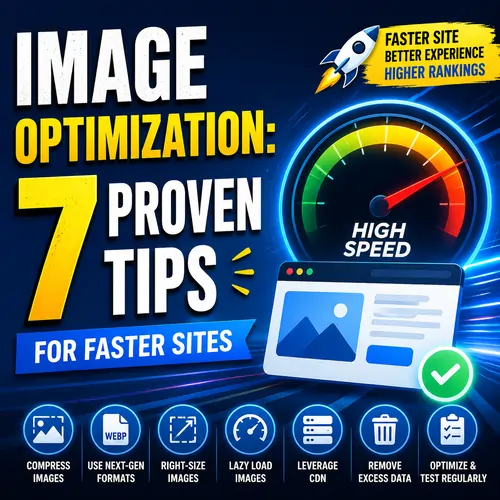
Table of Contents
- Why Image Optimization Deserves Your Attention in 2026
- The Real Cost of Neglecting Images
- What Search Engines Look For
- 7 Proven Image Optimization Tips for Better SEO
- Step 1: Choose the Right File Format
- Step 2: Compress Images Before Uploading
- Step 3: Use Descriptive, Keyword-Rich File Names
- Step 4: Write Meaningful Alt Text
- Step 5: Add Lazy Loading
- Step 6: Implement Responsive Images with srcset
- Step 7: Regularly Audit Your Media Library
- Alt Text Best Practices : A Quick Reference
- Common Alt Text Mistakes to Avoid
- How Image File Size Reduction Boosts Core Web Vitals
- Recommended Compression Tools for 2026
- Image Naming Conventions That Work
- Naming for E-Commerce vs. Blog Images
- Useful Resources
- What is image optimization ?
- Why is image optimization important for SEO?
- How much can image size reduction improve site speed?
- What is the best file format for web images?
- What alt text best practices should I follow?
- How do I write SEO-friendly alt text?
- What are image naming conventions ?
- Should I rename all existing images on my site?
- What is lazy loading and how does it help?
- What is the srcset attribute?
- Can I compress images without losing quality?
- How often should I audit my media library?
- What is the ideal image file size for a blog post?
- Does image optimization affect mobile performance?
- What tools can help with image file size reduction ?
- Should I use SVG for all graphics?
- How do I add alt text in WordPress?
- What if an image is purely decorative?
- Does Google penalize pages with missing alt text?
- How do I choose between WebP and AVIF?
Why Image Optimization Deserves Your Attention in 2026
Website visitors expect pages to load in under two seconds, and unoptimized images are the biggest culprit behind slow load times. Beyond performance, search engines now use visual content signals—like alt text and file metadata—to understand page relevance. This makes image optimization a fundamental part of any modern SEO strategy. For a related guide, see What Is SEO? A Beginner’s Guide to How It Works.
The Real Cost of Neglecting Images
A single uncompressed hero image can add 3–5 MB to your page. On mobile connections, that translates to seconds of waiting. Worse, missing or poorly written alt text means you lose ranking opportunities for image search, where some sites earn up to 20% of their organic traffic.
What Search Engines Look For
Google’s algorithms analyze image context through surrounding text, captions, alt attributes, and the image file name itself. When you optimize each of these elements consistently, you provide explicit signals that help your page rank for relevant queries.
7 Proven Image Optimization Tips for Better SEO
Follow these seven steps to build a scalable image workflow that saves bandwidth and improves visibility.
Step 1: Choose the Right File Format
Selecting the wrong format inflates file size. Use JPEG for photographs and complex gradients, PNG for graphics with transparency, and WebP or AVIF for modern compression without quality loss. Most content management systems, including WordPress, now support WebP natively. For a related guide, see SEO-Friendly Content: 7 Powerful Tips for Higher Rankings.
Step 2: Compress Images Before Uploading
Use image file size reduction tools like TinyPNG, Squoosh, or ImageOptim before uploading. Aim for files under 100 KB for standard blog images and under 300 KB for hero banners. Lossy compression at 70–80% quality usually produces excellent visual results with minimal artifacts.
Step 3: Use Descriptive, Keyword-Rich File Names
Name your images before saving them. Instead of IMG_4821.jpg, use something like handmade-ceramic-coffee-mug.jpg. This is one of the easiest image naming conventions to implement and it gives search engines immediate context about the image subject.
Step 4: Write Meaningful Alt Text
Follow alt text best practices by describing what the image shows in a natural, concise way. Include the focus keyword only if it fits contextually. For a photo of a latte, write “Pour-over coffee latte with latte art in a ceramic cup” instead of “coffee image.” Keep it under 125 characters.
Step 5: Add Lazy Loading
Lazy loading delays off-screen images until the user scrolls near them. This reduces initial page weight and improves perceived performance. WordPress 5.5 and later include native lazy loading via the loading="lazy" attribute, so enable it if your theme supports it.
Step 6: Implement Responsive Images with srcset
Serve different image sizes based on the user’s device. The srcset attribute lets you specify multiple resolutions, so a mobile visitor downloads a 400px-wide image while a desktop user gets the 1200px version. Most WordPress themes handle this automatically for uploaded images.
Step 7: Regularly Audit Your Media Library
Over time, unused images accumulate and bloat backups. Delete outdated photos, replace low-quality visuals, and recompress older images using a plugin like Smush or ShortPixel. A clean media library speeds up both your site and your editorial workflow.
Alt Text Best Practices: A Quick Reference
Writing alt text sounds simple, but many sites still get it wrong. Use this table as a guideline for common scenarios.
| Image Type | Good Alt Text Example | Bad Alt Text Example |
|---|---|---|
| Product photo | Organic cotton white t-shirt with round neck | t-shirt image |
| Chart or graph | Bar chart showing 30% increase in sales in Q4 2025 | Chart |
| Decorative icon | Alt text should be left empty (alt=””) | icon |
| Team headshot | Jane Doe, Head of Marketing at Bright Agency | employee photo |
Common Alt Text Mistakes to Avoid
Do not stuff keywords into every alt attribute. Screen readers rely on accurate descriptions, so over-optimization actually harms accessibility. Also, avoid starting every alt text with “image of” or “photo of”—assistive tools already announce the presence of an image.
How Image File Size Reduction Boosts Core Web Vitals
Google’s Core Web Vitals measure loading performance, interactivity, and visual stability. Largest Contentful Paint (LCP) directly tracks how quickly the main image appears. Reducing file size helps LCP drop below the 2.5-second threshold, which is critical for ranking well in 2026.
Recommended Compression Tools for 2026
Several free and paid tools simplify image file size reduction without quality compromise.
- Squoosh — Browser-based tool by Google, supports WebP and AVIF.
- TinyPNG — Reduces PNG and JPEG file sizes intelligently.
- ImageOptim — Desktop app with batch processing for macOS users.
Image Naming Conventions That Work
Consistency matters more than perfection. Create a simple naming system with lowercase letters, hyphens between words, and a brief description of the image subject. For example: red-velvet-cupcake-with-cream-cheese-frosting.jpg.
Naming for E-Commerce vs. Blog Images
For product catalogs, include the SKU or product ID after the description, such as leather-wallet-brown-SKU-8853.jpg. For blog photography, prioritize the keyword phrase that matches your target query. Avoid underscores, spaces, or special characters.
Useful Resources
- Web.dev — Image Optimization Guide — Google’s official recommendations on formats, compression, and lazy loading.
- W3C Web Accessibility Initiative — Alt Text Decision Tree — Practical guide for writing alt text that meets accessibility standards.
Frequently Asked Questions About Image Optimization
What is image optimization ?
Image optimization is the process of reducing file size, selecting the right format, and adding descriptive metadata such as alt text so images load faster and rank better in search results.
Why is image optimization important for SEO?
Optimized images improve page speed, which is a ranking factor. They also make your site accessible and help your visuals appear in Google Image Search, driving additional traffic.
How much can image size reduction improve site speed?
Compressing images can reduce load time by 30–50% in many cases, especially on pages with multiple photos. This directly impacts Core Web Vitals and user experience.
What is the best file format for web images?
For photos, use JPEG or WebP. For graphics with few colors or transparency, PNG or AVIF work well. WebP offers the best balance between quality and compression for most sites.
What alt text best practices should I follow?
Describe the image content accurately and concisely in under 125 characters. Include keywords only if they fit naturally. Leave decorative images empty (alt=””) so screen readers skip them.
How do I write SEO-friendly alt text?
Focus on describing the image for someone who cannot see it. For example, “black leather sofa with two throw pillows” is better than “sofa.” Avoid keyword stuffing.
What are image naming conventions ?
Image naming conventions are consistent rules for naming files before uploading. Use lowercase letters, hyphens between words, and accurate descriptions like “hiking-trail-path-forest.jpg.”
Should I rename all existing images on my site?
You do not need to rename every old image. Focus on new uploads going forward and batch rename your most visible pages (homepage, product pages) for the best impact.
What is lazy loading and how does it help?
Lazy loading delays loading that are not visible on screen until the user scrolls near them. This reduces initial page weight and speeds up the perceived load time.
What is the srcset attribute?
The srcset attribute lets you define multiple image sizes for different screen widths. Browsers select the most appropriate version, saving bandwidth on mobile devices and improving load times.
Can I compress images without losing quality?
Yes, lossless compression retains original quality while reducing file size. Lossy compression can cut size further with minimal visible difference, especially for photographs.
How often should I audit my media library?
Aim for a quarterly review. Delete unused images, replace outdated visuals, and recompress files that were uploaded before you implemented an optimization workflow.
What is the ideal image file size for a blog post?
Try to keep each image under 100 KB for standard blog photos. Hero images can be up to 300 KB if needed. Avoid anything over 500 KB unless it is a high-resolution product shot.
Does image optimization affect mobile performance?
Absolutely. Mobile users rely on cellular connections with limited bandwidth. Optimized images reduce data usage and speed up rendering on smaller screens, improving mobile Core Web Vitals.
What tools can help with image file size reduction ?
Popular tools include Squoosh (free browser app), TinyPNG (online compression), ImageOptim (macOS desktop), and plugins like Smush or ShortPixel for WordPress users.
Should I use SVG for all graphics?
SVG works well for logos, icons, and illustrations with few colors. It scales infinitely without quality loss. For complex photos, JPEG or WebP remain better choices.
How do I add alt text in WordPress?
When you upload an image, the “Alt Text” field appears in the media attachment details. You can also edit alt text later by clicking the image in the Media Library.
What if an image is purely decorative?
Leave the alt attribute empty (alt=””). This tells screen readers to skip the image entirely, preventing unnecessary audio clutter for people using assistive technologies.
Does Google penalize pages with missing alt text?
Google does not penalize missing alt text directly, but you lose the opportunity to rank in image search. Accessibility guidelines also require meaningful alt text for non-decorative images.
How do I choose between WebP and AVIF?
WebP is more widely supported across all browsers and platforms. AVIF offers better compression but limited support. Use WebP as the primary format and fall back to JPEG or PNG for older browsers.
Image optimization is not a one-time task—it is an ongoing practice that pays off in better rankings, faster pages, and more inclusive user experiences. Start with one or two tips from this guide today, and build from there. Your site speed (and your visitors) will thank you.