
tags and meta descriptions Key Takeaways
Optimizing your tags and meta descriptions is one of the most effective ways to improve your site’s click-through rate and organic search performance.
- Craft title tags between 50–60 characters with your primary keyword near the front for maximum SEO impact.
- Write meta descriptions between 150–160 characters that include a clear call to action and match search intent.
- Use your focus keyword in both the title tag and meta description to boost relevance and click-through rates.
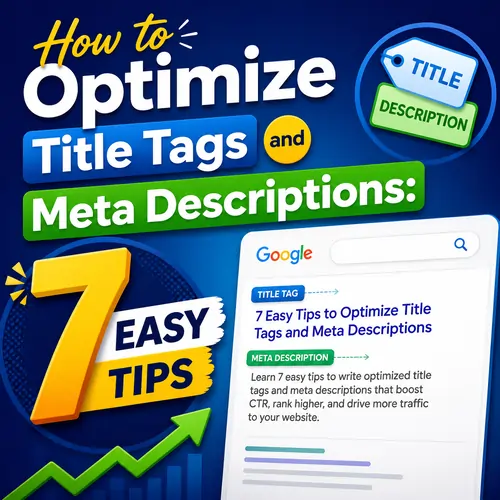
Table of Contents
- Why Optimizing Your Tags and Meta Descriptions Matters for SEO
- SEO Title Tag Best Practices You Need to Follow
- 1. Keep Title Tags Between 50–60 Characters
- 2. Place Your Focus Keyword Near the Beginning
- 3. Add Your Brand Name at the End
- 4. Write for Humans, Not Just Robots
- Good vs. Bad Title Tag Examples
- Meta Description Optimization Tips for Higher Click-Through Rates
- 1. Keep Meta Descriptions Between 150–160 Characters
- 2. Include Your Focus Keyword Naturally
- 3. Add a Call to Action
- 4. Match Search Intent
- Good vs. Bad Meta Description Examples
- Step-by-Step Guide to Optimizing Your Tags and Meta Descriptions
- Step 1: Conduct Keyword Research
- Step 2: Write the Title Tag
- Step 3: Write the Meta Description
- Step 4: Preview in Search Results
- Step 5: Add to Your CMS
- Step 6: Check for Cannibalization
- Step 7: Monitor Performance
- Common Mistakes to Avoid When Writing Tags and Meta Descriptions
- Optimization Checklist for Tags and Meta Descriptions
- Useful Resources
- What is the ideal length for a title tag?
- Do meta descriptions affect SEO rankings?
- Can I use the same meta description on multiple pages?
- Should I include the brand name in every title tag?
- How often does Google rewrite meta descriptions ?
- What is the difference between title tag and H1?
- Can I use emojis in title tags or meta descriptions ?
- Should I use a pipe or a dash in title tags ?
- How do I optimize title tags for mobile?
- What is a focus keyword?
- Do title tags matter for local SEO?
- How many keywords should I target per page?
- Can I change title tags after publishing?
- Should meta descriptions be different for each page?
- What happens if I leave the meta description blank?
- How do I add title tags in WordPress?
- What is a good click-through rate for organic results?
- Should I include numbers in title tags ?
- How often should I update my meta descriptions ?
- Do title tags and meta descriptions work together?
- Final Thoughts on Tags and Meta Descriptions
Why Optimizing Your Tags and Meta Descriptions Matters for SEO
Your title tag and meta description are the first things searchers see in Google results. They act as a mini-ad for your page. When done right, they increase your tags and meta descriptions effectiveness, driving more qualified traffic to your site. A well-optimized title tag can lift your click-through rate by 20–30%, while a compelling meta description can push that number even higher. For a related guide, see How Google Ranks Pages? 7 Key Factors Explained.
Search engines use title tags as a primary ranking signal. They help Google understand the topic of your page. Meta descriptions, while not a direct ranking factor, influence whether users click your result. More clicks signal relevance, which can indirectly boost your rankings over time.
SEO Title Tag Best Practices You Need to Follow
Title tags remain one of the most important on-page SEO elements. Follow these SEO title tag best practices to maximize their impact.
1. Keep Title Tags Between 50–60 Characters
Google typically displays the first 50–60 characters of a title tag. Anything longer gets truncated. Keep your primary keyword and brand name within that window. For example, “Best Organic Coffee Beans: Top 10 Brands for 2025” is concise and keyword-rich.
2. Place Your Focus Keyword Near the Beginning
Search engines give more weight to words appearing early in the title. If your focus keyword is “organic coffee beans,” start with it. Avoid generic openers like “Welcome to…” or “Homepage.”
3. Add Your Brand Name at the End
Branding builds trust. Add your brand name after a pipe separator, like “Best Organic Coffee Beans — BrewMasters.” This also prevents keyword stuffing and makes the title look natural.
4. Write for Humans, Not Just Robots
Avoid repeating the same keywords. Instead, use power words like “Ultimate,” “Proven,” “2025 Guide,” or “Easy Steps.” Match the searcher’s intent. A user looking for “how to brew pour-over coffee” expects a tutorial, not a product list.
Good vs. Bad Title Tag Examples
| Bad Title Tag | Good Title Tag |
|---|---|
| Home | SEO Services for Small Business – GrowFast Agency |
| buy shoes | cheap | online | Buy Comfortable Running Shoes Online: Best Deals 2025 |
| Article about coffee | How to Brew French Press Coffee: A Step-by-Step Guide |
Meta Description Optimization Tips for Higher Click-Through Rates
Meta description optimization is about writing compelling snippets that make users click. While Google sometimes rewrites meta descriptions, writing strong ones still gives you the best chance of controlling your snippet.
1. Keep Meta Descriptions Between 150–160 Characters
Google cuts off descriptions after about 155–160 characters on desktop and 120 on mobile. Write concise, complete sentences. If you go over, important information may be cut off.
2. Include Your Focus Keyword Naturally
Bolding keywords helps them stand out in search results. Include your focus keyword at least once. For example: “Learn how to optimize tags and meta descriptions to boost your traffic.” For a related guide, see What Is a Search Engine Results Page? A Beginner’s Guide.
3. Add a Call to Action
Encourage clicks with phrases like “Learn more,” “Get started today,” “Find your perfect match,” or “Read the full guide.” A clear CTA can increase CTR by 10–20%.
4. Match Search Intent
If someone searches “how to change a tire,” they want instructions — not a tire review. Reflect the page content accurately. Misleading descriptions lead to high bounce rates and low user satisfaction.
Good vs. Bad Meta Description Examples
| Bad Meta Description | Good Meta Description |
|---|---|
| We sell stuff. Click here. | Discover handcrafted leather wallets — durable, stylish, and shipped free. Browse our collection and find yours today. |
| This is a page about SEO. | Learn how to optimize your WordPress site for search engines with our step-by-step SEO checklist. Start ranking higher today. |
| 5 tips for better photos | 5 simple photography tips to improve your portraits. From lighting to composition — see examples and start shooting like a pro. |
Step-by-Step Guide to Optimizing Your Tags and Meta Descriptions
Follow these seven easy steps to optimize every page on your site.
Step 1: Conduct Keyword Research
Identify the primary keyword and 2–3 semantic variations for each page. Use tools like Google Keyword Planner or Ahrefs Keywords Explorer.
Step 2: Write the Title Tag
Start with your focus keyword, keep it under 60 characters, and add your brand name at the end. Use a separator like a pipe or dash.
Step 3: Write the Meta Description
Aim for 150–160 characters. Include your focus keyword, a benefit, and a call to action. Make it unique for every page — never copy-paste.
Step 4: Preview in Search Results
Use a SERP preview tool like Seobility’s SERP Simulator to see how your title and description appear. Adjust length if needed.
Step 5: Add to Your CMS
In WordPress, use an SEO plugin like Rank Math or Yoast. Paste your optimized title and description into the plugin’s fields for each post or page.
Step 6: Check for Cannibalization
Ensure no two pages target the same keyword. If they do, merge or differentiate them. Use a site: search to spot duplicates.
Step 7: Monitor Performance
Use Google Search Console to track clicks, impressions, and CTR for each page. Optimize pages with low CTR by rewriting titles and descriptions.
Common Mistakes to Avoid When Writing Tags and Meta Descriptions
Even experienced marketers slip up. Avoid these pitfalls.
- Duplicate title tags or meta descriptions across pages — this confuses search engines and reduces CTR.
- Keyword stuffing — writing titles like “SEO tips, SEO tricks, SEO guide” looks spammy and hurts user trust.
- Missing meta descriptions — Google will auto-generate one from page content, which may not be optimal.
- Too short or too long — titles under 30 characters waste space; descriptions over 160 get cut off.
- No call to action — without a CTA, users have no reason to click over other results.
- Misleading content — if your title promises “10 tips” and the page only shows five, users bounce fast.
Optimization Checklist for Tags and Meta Descriptions
Use this checklist to audit every page.
- Title tag length: 50–60 characters
- Primary keyword near the start of the title
- Brand name included (separator before brand)
- Meta description length: 150–160 characters
- Focus keyword in meta description
- Call to action in meta description
- No duplicate titles or descriptions on the site
- Previewed using SERP simulator
Useful Resources
Learn more from these trusted guides:
Frequently Asked Questions About Tags and Meta Descriptions
What is the ideal length for a title tag?
The ideal length is 50–60 characters to avoid truncation in search results.
Do meta descriptions affect SEO rankings?
Meta descriptions do not directly influence rankings, but they impact click-through rates, which can indirectly boost SEO performance.
Can I use the same meta description on multiple pages?
No, duplicate meta descriptions can confuse search engines and reduce the effectiveness of your snippets. Each page should have a unique description.
Should I include the brand name in every title tag?
Yes, adding your brand name at the end of title tags helps with brand recognition and trust. Use a pipe separator.
How often does Google rewrite meta descriptions ?
Google rewrites meta descriptions around 30% of the time, especially if the original does not match user intent or is too short.
What is the difference between title tag and H1?
The title tag appears in search results and browser tabs; the H1 is the visible headline on the page. They should be similar but not necessarily identical.
Can I use emojis in title tags or meta descriptions ?
Emojis can increase CTR but may appear unprofessional in certain industries. Test them on a case-by-case basis.
Should I use a pipe or a dash in title tags ?
Both are fine. A pipe (|) is more common for brand separation, while a dash (—) works well for natural phrasing.
How do I optimize title tags for mobile?
Mobile devices display fewer characters, so keep your title under 50 characters and place the most important words first.
What is a focus keyword?
A focus keyword is the main search term you want a page to rank for. It should appear in the title, meta description, and throughout the content.
Do title tags matter for local SEO?
Yes, include your city or region in the title to improve local search visibility. For example, “Best Pizza in Chicago — Tony’s Pizzeria.” For a related guide, see What Is SEO? A Beginner’s Guide to How It Works.
How many keywords should I target per page?
Focus on one primary keyword and 2–3 secondary keywords per page. Avoid targeting more than one main keyword in the title.
Can I change title tags after publishing?
Yes, you can update title tags anytime. After changes, resubmit the page to Google via Search Console to speed up reindexing.
Should meta descriptions be different for each page?
Absolutely. Unique meta descriptions help each page stand out and avoid cannibalization in search results.
What happens if I leave the meta description blank?
Google will auto-generate a snippet from your page content, which may not be optimized for your target keyword or user intent.
How do I add title tags in WordPress?
Use an SEO plugin like Rank Math or Yoast. In the post editor, go to the SEO settings and fill in the “SEO Title” field.
What is a good click-through rate for organic results?
A CTR of 2–5% is average, but top-ranking results often achieve 10–30% depending on the query and industry.
Should I include numbers in title tags ?
Yes, numbers like “7 tips” or “Top 10” attract attention and can increase CTR. Use odd numbers for better engagement.
How often should I update my meta descriptions ?
Review and update them whenever you refresh page content, change your focus keyword, or notice a drop in organic CTR.
Do title tags and meta descriptions work together?
Yes, they form a cohesive snippet. A strong title grabs attention, and a compelling description convinces the user to click.
Final Thoughts on Tags and Meta Descriptions
Optimizing your tags and meta descriptions is a small effort that yields significant SEO and CTR gains. Start by auditing your existing pages using the checklist above. Update your most important posts first, then work through the rest. With consistent optimization, you’ll see more organic traffic and better user engagement.