
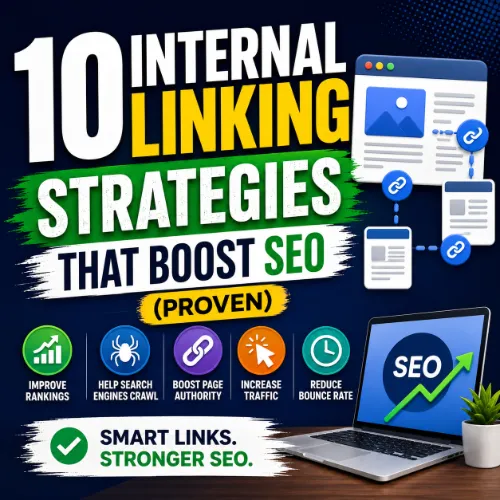
internal linking strategies Key Takeaways
Proper internal linking is one of the most effective ways to boost your site’s SEO performance without waiting for new backlinks.
- Strategic internal linking strategies distribute page authority across your site and help search engines understand content relationships.
- Well-planned internal links improve user experience by making navigation intuitive and reducing bounce rates.
- Consistent internal linking builds topical authority and can increase organic traffic to cornerstone content.
Why Internal Linking Strategies Matter for SEO in 2025
Internal links are the roads that connect your website’s pages. Without them, search engines struggle to find and rank your content, and users get lost clicking aimlessly. A solid internal linking strategy helps search engine crawlers discover new pages faster, understand which pages are most important, and pass authority from high-performing pages to others. For site owners, this means improved rankings, better user engagement, and more efficient crawling. When you treat internal linking as a deliberate tactic rather than an afterthought, you unlock a powerful lever for organic growth. For a related guide, see 12 Advanced Internal Linking Strategies for Better SEO.
How Internal Links Influence Page Authority
Each link on your site passes “link equity” or “link juice” from the source page to the target page. Pages that receive many internal links from authoritative pages tend to rank higher. This is especially valuable for newer blog posts or product pages that lack external backlinks. By linking from your top-performing content, you funnel authority to pages that need a ranking boost.
Strategy 1: Create a Pillar-and-Cluster Content Structure
One of the most effective internal linking strategies is building a pillar page around a broad topic and linking to detailed cluster pages that cover subtopics. The pillar page serves as a central hub, and each cluster page links back to the pillar. This structure signals to Google that you have comprehensive coverage of a topic, which can improve rankings for the entire cluster.
Implementation Tip
Identify a broad keyword like “content marketing” and create a long-form guide. Then write separate blog posts for subtopics like “email marketing,” “social media strategy,” and “SEO writing.” Link from the pillar to each cluster page and from each cluster page back to the pillar. Use descriptive anchor text that includes related keywords.
Strategy 2: Use Contextual Links Within Body Content
Contextual links — links placed naturally within the flow of your article — are far more valuable than links in sidebars or footers. Search engines treat these as editorial endorsements. When you write a sentence that references another concept or article, make that phrase a clickable internal link.
Implementation Tip
When drafting a new post, scan your existing content library for relevant pages. For example, if you’re writing about “on-page SEO,” link to your guide about “meta descriptions” or “header tags.” Use anchor text that describes the target page, not generic phrases like “click here.”
Strategy 3: Link to Your Cornerstone Content from Every Top Post
Cornerstone content — your most important, comprehensive guides — should receive internal links from every major article on your site. This signals to search engines that this page is a key resource. Over time, the accumulated link equity helps the cornerstone page rank for competitive terms.
Implementation Tip
Create a list of your 5-10 cornerstone pages. For each new blog post, include at least one link to one of these cornerstones where contextually appropriate. Update older posts retroactively to add cornerstone links.
Strategy 4: Leverage Breadcrumb Navigation
Breadcrumbs are a secondary navigation system that shows users where they are on your site. They also create internal links that reinforce site hierarchy. Search engines use breadcrumb markup to understand page relationships, and users appreciate the clear path back to parent categories.
Implementation Tip
Implement breadcrumb navigation on all pages, especially e-commerce sites and large blogs. Use Schema.org BreadcrumbList structured data to enable rich results. Ensure your breadcrumbs are clickable links that follow the actual site structure.
Strategy 5: Add “Related Posts” or “You May Also Like” Sections
Automated or manually curated “Related Posts” sections at the bottom of your articles create additional internal links. These suggestions keep users on your site longer and introduce them to complementary content. For SEO, they distribute link equity across multiple pages.
Implementation Tip
Plugins like Yoast SEO or Jetpack can automatically display related posts based on tags and categories. For better results, manually curate a short list of 3-5 highly relevant links. Use clear, keyword-rich titles for each suggested post.
Strategy 6: Use Descriptive Anchor Text (But Don’t Over-Optimize)
The anchor text of your internal links gives search engines context about the linked page’s topic. Using exact-match keywords helps, but overuse can look unnatural. Mix branded anchors, partial-match phrases, and generic phrases to keep your link profile organic.
Implementation Tip
Instead of always using “click here” or “read more,” write anchor text that includes the target keyword naturally. For example, instead of “learn more about SEO,” write “explore our complete SEO checklist.” Avoid using the same anchor text for every link pointing to the same page.
Strategy 7: Fix Orphaned Pages
Internal linking strategies must include a regular audit for orphaned pages — pages that have no internal links pointing to them. These pages are nearly invisible to search engines and rarely rank. Finding and linking to them can unlock untapped traffic.
Implementation Tip
Use a tool like Ahrefs or Screaming Frog to crawl your site and identify pages with zero internal links. Prioritize linking to pages that have useful content or traffic potential. Add contextual links from relevant, already-ranked pages.
Strategy 8: Deep Link to Individual Posts, Not Just Category Pages
Many site owners fall into the habit of linking only to home or category pages. Deep linking — linking directly to a specific blog post or product — passes authority more directly and provides users with granular information. Search engines reward sites that link to specific, relevant content. For a related guide, see Authority Site Strategies: 7 Proven Ways to Build Authority Sites Like SANTOLLUCKY.
Implementation Tip
When writing an article, think about the smallest, most specific page that answers a point you’re making. Link to that page rather than a broad category. For example, instead of “see our blog,” link to “our guide to writing title tags.”
Strategy 9: Review and Update Internal Links Periodically
Internal linking isn’t a one-time task. As you publish new content, old links can become outdated, broken, or less relevant. A quarterly review helps you replace dead links, add links to new cornerstone content, and strengthen your overall link graph.
Implementation Tip
Set a recurring calendar reminder to audit your internal links. Use a spreadsheet to track which pages link to which cornerstone content. When you notice a high-traffic page failing to rank, check if it has enough internal links and add more if needed.
Strategy 10: Keep the Number of Links Per Page Reasonable
While internal linking is beneficial, adding too many links on a single page can dilute authority and overwhelm readers. Google recommends keeping link counts reasonable — typically under 100 links per page. Focus on quality over quantity.
Implementation Tip
When editing a page, ask yourself: does every link serve a clear purpose for the user? Remove links that are irrelevant or that point to thin content. Aim for 3-5 contextual links per 800-word article, plus a curated related posts section.
SEO Entities and Their Functions
Understanding several key entities helps you apply these internal linking strategies more effectively:
- Website / Domain entities: Analyze root domain, subdomain, and URL-level data to see whether internal linking efforts benefit the whole site or a specific section.
- Keyword entities: Organic keywords, keyword difficulty (KD), and search volume help you decide which pages to strengthen with internal links.
- Backlink entities: Referring domains, dofollow/nofollow links, and broken backlinks reveal where your authority comes from and where internal links can compensate for weak external links.
- Page entities: Top pages by traffic, best by links, and broken pages let you identify which URLs need more internal link support.
- Technical SEO entities: Crawl issues, redirect chains, and indexability status show you obstacles that prevent internal links from being effective.
- Metrics entities: Domain Rating (DR), URL Rating (UR), organic traffic, and referring domains count help you measure the impact of your internal linking efforts.
Useful Resources
For a deeper dive into internal linking best practices, check out these expert resources:
- Google’s Official Guide to Creating Links – Learn how Google views internal links and what it recommends for best results.
- Ahrefs Blog: Internal Linking Strategy – A comprehensive guide with data-driven insights and actionable tips.
Frequently Asked Questions About internal linking strategies
What is the difference between internal and external links?
Internal links point to pages on the same domain, while external links point to pages on other domains. Both are important for SEO, but internal links are fully under your control and help structure your site.
How many internal links per page is ideal?
There is no hard limit, but Google suggests keeping links reasonable. For typical blog posts, 3-5 contextual internal links plus a navigation bar and related posts section work well.
Should I use nofollow on internal links?
Generally no. Internal links should be follow links to pass authority. Use nofollow only for login pages, admin areas, or links you don’t want crawlers to follow.
Can internal linking help with page authority?
Yes. Internal links distribute link equity from high-authority pages to other pages, boosting their potential to rank. This is one of the primary benefits of internal linking strategies.
Do breadcrumbs count as internal links?
Yes. Breadcrumbs are internal links that help users and search engines understand site hierarchy. They pass authority and provide crawling paths.
What is a pillar page in internal linking?
A pillar page is a comprehensive guide on a broad topic that links to multiple detailed cluster pages. This structure builds topical authority and improves rankings for the entire subject.
How often should I audit my internal links?
At least once per quarter. Regular audits help you find broken links, orphaned pages, and opportunities to strengthen your link graph.
Does the position of a link on the page matter?
Yes. Links placed in the main content area are more valuable than links in sidebars or footers. Early in the body is often the strongest position.
Can internal linking improve time on site?
Absolutely. Strategic internal links encourage users to click through to related content, increasing session duration and reducing bounce rate.
What is anchor text optimization?
Anchor text optimization means using descriptive, keyword-rich text for your links instead of generic phrases like “click here.” It helps search engines understand the linked page’s topic.
Should I link to my homepage from every page?
It’s helpful but not necessary for every page. Most sites include a homepage link in the navigation or logo, which is sufficient. Focus internal links on deeper content.
Do internal links help with Google crawling?
Yes. Internal links provide paths for Googlebot to discover new and updated pages. A well-linked site is crawled more efficiently.
What is an orphan page?
An orphan page is a page that has no internal links pointing to it. Users and search engines struggle to find it, making it nearly invisible.
Can I use too many internal links?
Yes. Too many links can dilute authority and overwhelm readers. Focus on quality, relevant links rather than trying to link to everything.
Does the anchor text have to be exact match?
No. Use a mix of exact-match, partial-match, and generic anchor text. Overuse of exact-match can appear unnatural to Google.
What tools can help with internal linking audits?
Ahrefs, Screaming Frog, Semrush, and Google Search Console all provide features to analyze your internal links and identify issues.
Should I update old posts with new internal links?
Yes. Regularly refreshing old content with new internal links helps distribute authority to newer pages and keeps your link graph current.
Do internal links affect PageRank?
Yes. Google’s PageRank algorithm considers internal links as votes of authority. Pages with more internal links typically have higher PageRank.
What’s the best way to link to a category page?
Use descriptive anchor text like “our complete guide to email marketing” rather than just “category.” Include the link in context within relevant articles.
Can internal links help with local SEO?
Yes. Linking between local landing pages, service area pages, and local guides signals geographic relevance to search engines.