
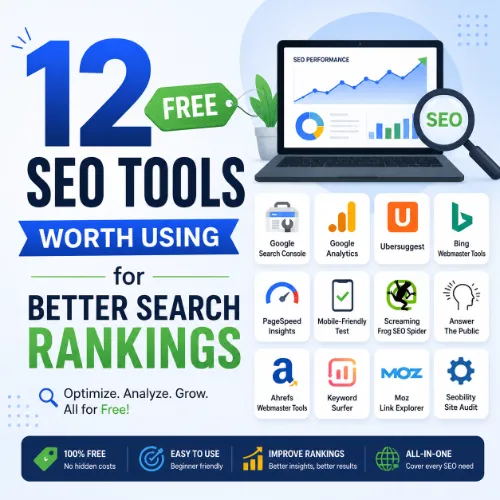
free SEO tools Key Takeaways
Below, we break down twelve best free SEO tools for beginners and seasoned professionals alike.
- You can perform full technical site audits and identify critical issues using free SEO tools like Google Search Console and Screaming Frog SEO Spider.
- Competitor keyword gaps and link intersect opportunities are visible without a paid subscription when you use tools like Ubersuggest and Ahrefs Webmaster Tools.
- Local SEO and content optimization become manageable with free platforms such as Google Business Profile and AnswerThePublic.
Why free SEO tools Deliver Real Value
Many marketers assume that effective SEO requires an expensive monthly subscription. In reality, some of the most powerful analytics and diagnostic platforms are available at no cost. Google itself offers several robust tools, and independent developers have created feature-rich alternatives that rival paid software. By learning to use these free SEO tools worth using, you can improve your site’s technical health, discover untapped keyword opportunities, and track backlinks — all without spending a cent. For a related guide, see 15 AI SEO Tools Worth Trying in 2026: Expert Picks.
Below, we break down twelve best free SEO tools for beginners and seasoned professionals alike. Each section explains the tool’s best feature, gives a step-by-step usage tip, and provides a practical example of what you can achieve.
1. Google Search Console: The Foundation of free SEO tools
Best Feature: Performance and Index Coverage Reports
Google Search Console (GSC) shows exactly how Google views your website. It reveals which queries drive traffic, which pages appear in search results, and whether any indexing errors exist. This data is essential for almost every other SEO task.
Step-by-Step Usage Tip
Start by connecting your site to GSC and submitting your XML sitemap. Then navigate to the Performance report to see your total clicks, impressions, average position, and click-through rate (CTR) for individual queries. Use the “Pages” tab to find pages that have high impressions but low CTR — these are prime candidates for title and meta description improvements.
Practical Example
A blog noticed its top post had 10,000 impressions but only 200 clicks. After reviewing the query data in GSC, the writer updated the meta description to include a clear call-to-action. The following month, clicks increased to 650 without any other changes.
2. Google Analytics 4: Understand Visitor Behavior for Free
Best Feature: User Engagement and Acquisition Reports
GA4 tells you where your traffic comes from (organic, social, direct, referral) and what people do once they land on your site. You can also see bounce rates, session duration, and conversion paths.
Step-by-Step Usage Tip
Inside GA4, go to Reports > Acquisition > Traffic Acquisition. Filter by “Organic Search” to see only your free SEO tools performance. Sort by “Engaged Sessions” to identify which pages keep visitors interested — those pages are strong candidates for further internal linking and content expansion.
Practical Example
A small e-commerce store realized its product category pages had a 90% exit rate. By adding a short FAQ section and internal links to related products, the store reduced the exit rate to 60% and saw a 15% increase in conversions from organic traffic.
3. Ahrefs Webmaster Tools: Competitor Backlink Insights at Zero Cost
Best Feature: Site Explorer for Your Own Domain and Competitors
Ahrefs Webmaster Tools offers a limited but highly useful version of their paid platform. You get a full site audit, backlink profile overview, and top organic pages report for your own site. You can also enter competitor domains to see their top pages and referring domains.
Step-by-Step Usage Tip
After verifying your site, go to “Site Explorer” and enter a competitor’s URL. Click “Top Pages” to see which pages on their site drive the most organic traffic. Export that list and cross-reference with your content to find topics you haven’t covered yet — a classic content gap analysis.
Practical Example
A travel blogger saw that a competitor’s “budget travel tips for Japan” page received 5,000 monthly visits. She wrote a more detailed, updated version and used internal links from her existing popular posts. Within three months, her version ranked #3 for related queries and generated 3,500 visitors per month.
4. Ubersuggest: Keyword Research and Content Ideas
Best Feature: Keyword Ideas with Search Volume and CPC
Ubersuggest provides keyword suggestions, monthly search volume, keyword difficulty scores, and CPC data. It also shows the top-ranking pages for any keyword, plus a content ideas section that lists popular articles.
Step-by-Step Usage Tip
Type a broad topic (e.g., “vegan dinner recipes”) into Ubersuggest. Scroll through the keyword ideas list and sort by “Search Volume” descending. Pick three keywords that have moderate difficulty (around 30–50) and look for question-based long-tail variations to use in your H2 and H3 headings.
Practical Example
A fitness site targeting “home workout equipment” found a long-tail keyword “best resistance bands for beginners” with 1,200 monthly searches. They wrote a detailed buying guide, and within six weeks the page ranked in the top 5, generating consistent referral traffic.
5. Screaming Frog SEO Spider: Powerful Site Auditor
Best Feature: Crawl Analysis and Broken Link Detection
This desktop tool crawls your entire website and identifies broken links, duplicate content, missing meta tags, redirect chains, and page title issues. The free version handles up to 500 URLs, which covers most small to medium sites.
Step-by-Step Usage Tip
Download and install the tool. Enter your website URL and click “Start.” After the crawl completes, go to the “Response Codes” tab and filter for 404 errors. Open each broken URL, determine the correct redirect destination, and add a 301 redirect from your CMS or .htaccess file.
Practical Example
A local business website had 18 orphaned pages (pages with no internal links) that were still indexed in Google. Screaming Frog found them under the “Inlinks” report showing zero links. The team added relevant internal links from the homepage and main service pages, and those orphaned pages started receiving organic traffic within two weeks.
6. Google PageSpeed Insights: Core Web Vitals Optimization
Best Feature: Real-World and Lab Performance Scores
This tool analyzes any URL and gives a performance score based on Largest Contentful Paint (LCP), First Input Delay (FID), and Cumulative Layout Shift (CLS). It also provides actionable recommendations to improve speed.
Step-by-Step Usage Tip
Enter any page URL and wait for the report. Scroll to the “Diagnostics” section for specific suggestions. Common fixes include compressing images, eliminating render-blocking resources, and enabling browser caching.
Practical Example
An online magazine saw its mobile speed score drop to 45. PageSpeed Insights flagged two large JavaScript bundles. After deferring those scripts and compressing all images with a free plugin, the score jumped to 85, and the bounce rate from mobile users decreased by 12%.
7. AnswerThePublic: User Question Discovery
Best Feature: Visual Question and Preposition Maps
AnswerThePublic collects autocomplete data from Google and displays it as a visual wheel of questions, prepositions (e.g., “for,” “with,” “without”), and comparisons. This helps you understand exactly what your audience is asking.
Step-by-Step Usage Tip
Type your core keyword (e.g., “email marketing”) and look at the “Questions” tab. Pick 5–10 questions that are not yet well-covered on your site. Turn each question into a separate H3 or H4 heading in a new blog post, and answer them one by one.
Practical Example
A digital marketing agency wrote a guide called “Email Marketing Questions Answered” using questions from AnswerThePublic. The post attracted 300+ organic visitors per month within two months, many of whom became leads through a related call-to-action.
8. Google Keyword Planner: Reliable Search Volume Data
Best Feature: Accurate Search Volume and Bid Estimates
While designed for Google Ads, the free Keyword Planner offers monthly search volume ranges and competition levels for any keyword. It’s especially useful for estimating the potential of commercial keywords.
Step-by-Step Usage Tip
Create a free Google Ads account (you don’t need to run ads). Go to “Tools and Settings” > “Keyword Planner.” Select “Discover new keywords.” Enter a seed keyword and scan the list for terms with moderate competition and at least 100 monthly searches.
Practical Example
A SaaS startup wanted to target “project management software.” Keyword Planner showed that “simple project management tool” had 600 monthly searches with low competition. They optimized a landing page around that phrase and earned a top-10 ranking within two months.
9. GTmetrix (Free Tier): Performance Benchmarking
Best Feature: Waterfall Chart of Resource Loading
GTmetrix gives a detailed breakdown of every element on a page — scripts, images, stylesheets — with load times and a waterfall chart. The free version allows testing from multiple locations.
Step-by-Step Usage Tip
Enter a page URL and let the test run. Switch to the “Waterfall” tab to see which resources take the longest. Focus on the top five slowest elements — they often include unoptimized images, third-party scripts, or large CSS files.
Practical Example
A news site loaded a third-party video embed script that added 4 seconds to the page load time. The team replaced it with a static thumbnail that linked to the video, dropping load time to under 2 seconds and improving the site’s Core Web Vitals score.
10. Google Business Profile: Essential Local SEO Tool
Best Feature: Local SERP Appearance and Insights
Claiming your Google Business Profile (GBP) lets you appear in the local pack and Google Maps. The free dashboard provides insights into how customers find your business, including search queries, profile views, and direction requests.
Step-by-Step Usage Tip
Claim your profile at google.com/business. Fill out every field: hours, phone, website, services, photos, and Q and A. Then go to the “Insights” tab weekly to see which search terms people use to find you. Add those terms to your website content and in your GBP description.
Practical Example
A family-owned pizza shop noticed “gluten-free pizza near me” was the top search query driving profile views. They updated their menu to highlight gluten-free options and added a dedicated webpage about their gluten-free ingredients. Over the next quarter, website traffic from GBP increased 25%.
11. MozBar: On-Page SEO Metrics at a Glance
Best Feature: Page and Domain Authority in Your Browser
MozBar is a Chrome extension that displays Domain Authority (DA), Page Authority (PA), and link metrics for any page you visit. It’s a quick way to assess the authority of competitors and potential link-building targets.
Step-by-Step Usage Tip
Install the extension, open it, and toggle “Page Elements” to see meta tags, headings, and link attributes on the page. Use the “Find and Filter by Link” feature to see all external links on a competitor’s post — those are potential outreach targets for your own content.
Practical Example
A health blogger found a competitor’s article that linked to 10 external sources. MozBar showed that three of those linking domains had high DA (70+). The blogger reached out to those sites with a better resource, and two of them linked back to her post.
12. SEO Minion: Quick On-Page Audit and Broken Link Check
Best Feature: Page Analysis and Link Check in One Click
SEO Minion is a browser extension that highlights all links on a page, marks broken ones, and lets you check on-page SEO elements like H1 tags, meta descriptions, and alt text.
Step-by-Step Usage Tip
After installing, visit any page and click the SEO Minion icon. Use “Check Broken Links” to scan the page. Review the list and replace any broken links with working ones — this improves user experience and helps your site’s link equity flow correctly.
Practical Example
A tutorial site had a page with 15 outbound links. SEO Minion found two 404s. One pointed to an archived blog post; the other to a deleted product page. The editor replaced both with active, relevant links, and the page’s average session duration increased by 20%.
Comparison Table of free SEO tools
| Tool | Primary Use | Key Limitation | Best For |
|---|---|---|---|
| Google Search Console | Performance and indexing | No competitor data | All websites |
| Google Analytics 4 | Traffic and behavior analysis | Learning curve for reports | Deep user insights |
| Ahrefs Webmaster Tools | Backlinks and site audit | Limited to verified sites | Competitor research |
| Ubersuggest | Keyword research | Limited daily searches | Content ideation |
| Screaming Frog SEO Spider | Site crawling | 500 URL limit (free) | Technical audits |
| Google PageSpeed Insights | Speed and Core Web Vitals | Single-page analysis | Performance optimization |
| AnswerThePublic | Question discovery | Limited daily searches (free) | Content planning |
| Google Keyword Planner | Search volume estimation | Ranged volume data | Commercial keyword analysis |
| GTmetrix (Free) | Performance waterfall | Limited test locations | Detailed resource profiling |
| Google Business Profile | Local SEO | Only for businesses with a location | Local search visibility |
| MozBar | Quick authority check | Requires browser extension | Link building outreach |
| SEO Minion | On-page audit and link check | Fewer advanced features | Quick page reviews |
SEO Entities and Their Functions
Understanding the entities behind free SEO tools helps you interpret the data they provide. Here are the most relevant entity types and what they reveal:
- Website/Domain Entities (root domain, subdomain, URL): Tools like Screaming Frog and Ahrefs Webmaster Tools distinguish between metrics for your whole domain, blog subdomain, or a single page. This helps you pinpoint where issues or opportunities exist.
- Keyword Entities (organic keywords, keyword difficulty, search volume, CPC): Ubersuggest and Google Keyword Planner show demand and competition. KD scores indicate how hard it is to rank, while CPC suggests commercial intent.
- Backlink Entities (referring domains, anchor text, dofollow/nofollow, broken backlinks): Ahrefs Webmaster Tools and MozBar highlight the quality of links pointing to your site. A high ratio of dofollow links from authoritative domains is a strong ranking signal.
- Page Entities (top pages, best by links, broken pages): Google Search Console and Screaming Frog reveal which URLs earn the most traffic or need technical fixes.
- Content Entities (articles, authors, topics, publication dates): GA4 and Ubersuggest help evaluate editorial quality and recency.
- SERP Entities (featured snippets, People Also Ask, local packs): AnswerThePublic and Google Business Profile show what SERP features your target keywords trigger.
- Technical SEO Entities (crawl issues, redirect chains, canonical tags, Core Web Vitals): Google Search Console and Screaming Frog expose obstacles preventing proper indexing or good user experience.
- Competitor Entities (competing domains, content gap opportunities, shared keywords): Ahrefs Webmaster Tools and MozBar let you compare your performance against rivals.
- Link Building Entities (link opportunities, broken link prospects, unlinked mentions): MozBar and SEO Minion turn analysis into actionable outreach lists.
- Metrics Entities (DA, PA, traffic value, organic traffic, referring domains): MozBar and Ahrefs Webmaster Tools provide authority scores and estimated traffic that help prioritize efforts.
- Local SEO Entities (country database, city-specific keywords, local packs): Google Business Profile connects your campaign to precise geographic intent.
Useful Resources
For more in-depth guidance on site auditing and keyword research, explore the following authoritative sources:
- Google SEO Starter Guide — The official guide covering fundamentals of search engine optimization directly from Google.
- Moz Beginner’s Guide to SEO — A comprehensive, free resource that pairs well with the tools listed above, especially for beginners.
Frequently Asked Questions About free SEO tools
Can you really do SEO without paying for any tools?
Yes. Many of the most important SEO tasks — site audits, keyword research, performance monitoring, and link analysis — can be completed using only free SEO tools. The key is learning how to combine data from multiple free sources.
What is the single most important free SEO tool?
Google Search Console is often considered the most important because it shows exactly how Google views your site. No other tool provides the same level of direct indexing and performance data at no cost.
Are free SEO tools accurate for keyword research?
Google Keyword Planner and Ubersuggest offer reasonable estimates of search volume and competition. While not as precise as paid data, they are more than sufficient for identifying viable keywords and content gaps.
How many free SEO tools should I use at once?
Most SEO professionals rely on 3–5 core free SEO tools depending on their goal. For example, one person might use Google Search Console + Screaming Frog + Ubersuggest. Overcomplicating with too many tools can lead to data overload. For a related guide, see 11 Essential AI Tools for Technical SEO: Smart Solutions for 2026.
Do free SEO tools have data limits?
Yes. For instance, Screaming Frog’s free version crawls up to 500 URLs, and Ubersuggest limits daily searches. However, these limits are generous enough for most small to medium websites and regular blog audits.
Can free SEO tools help with local SEO?
Absolutely. Google Business Profile is free and essential for local SEO. You can also use Google Keyword Planner to find city-specific keywords and AnswerThePublic to discover local-oriented questions.
What is the best free tool for checking broken links?
Screaming Frog SEO Spider and the browser extension SEO Minion both handle broken link detection well. Screaming Frog is more comprehensive for an entire site, while SEO Minion is better for quick checks on a single page.
Do I need a Google Account to use free SEO tools ?
Many free tools like Google Search Console, Google Analytics 4, Google Keyword Planner, and Google Business Profile require a Google account. Others such as Screaming Frog, Ubersuggest, and AnswerThePublic only need an email registration.
How often should I run a free site audit?
Monthly audits are recommended for most websites. After major content updates or design changes, run an ad-hoc audit to catch new issues quickly. Free tools like Screaming Frog and Google Search Console make this easy.
Can free SEO tools help with content planning?
Yes. AnswerThePublic reveals user questions, Ubersuggest shows top-performing content on competitors’ sites, and Google Search Console surfaces queries where your current pages underperform.
Is Ahrefs Webmaster Tools completely free?
Ahrefs Webmaster Tools is free for site owners who verify their domain. It includes a site audit, backlink profile, and top pages report. The main limitation is that you can only view data for your own verified properties.
What free tool is best for checking Core Web Vitals?
Google PageSpeed Insights is the standard free tool for Core Web Vitals. It provides field data (real-world user experience) and lab data (simulated tests) along with specific recommendations for improvement.
Are there free alternatives to paid tools like SEMrush?
Yes. Ubersuggest offers a partial alternative for keyword research, Google Search Console replaces SEMrush’s site audit functionality to some degree, and Ahrefs Webmaster Tools provides backlink data. For a complete replacement, you usually need to combine several free tools.
Can free SEO tools handle e-commerce websites?
They can, but with limitations. Screaming Frog’s free version crawls up to 500 URLs, which may not cover large e-commerce sites. For bigger stores, you might need the paid version or a tool like Google Search Console for indexing data.
How do I choose the right free SEO tool for my needs?
Start by identifying your primary goal. If you need keyword data, pick Ubersuggest or Google Keyword Planner. For technical audits, Screaming Frog or Google Search Console. For backlink analysis, choose Ahrefs Webmaster Tools or MozBar. Then complement with a general analytics tool like GA4.
Do free SEO tools offer API access?
Some do. Google Search Console and Google Analytics 4 have free APIs for developers. Most other free tools either don’t offer APIs or reserve them for paid plans.
Can I use free SEO tools for client work?
Yes, as long as the tool’s terms allow commercial use — most do. However, for professional reporting at scale, investing in paid tools may be more efficient. Free tools are excellent for smaller projects or audits.
What is the best free tool for tracking keyword rankings?
Google Search Console provides the most accurate ranking data because it comes directly from Google. For daily or weekly rank tracking, Ubersuggest offers a limited but helpful position tracker.
Do free SEO tools work for voice search optimization?
They can help indirectly. AnswerThePublic surfaces question-style queries that align with voice search patterns. You can also use Google Search Console to see which queries trigger featured snippets, as many voice answers come from those.
How long does it take to see results from using free SEO tools ?
Technical fixes like fixing broken links or improving page speed can show results within days. Content changes based on keyword research typically take 4–8 weeks to appear in search results, depending on competition and existing site authority.