
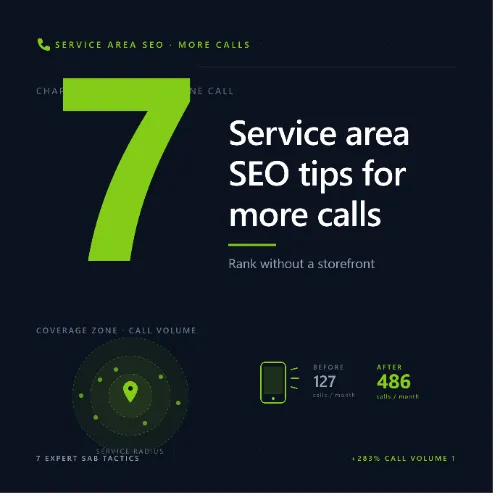
Service Area Business SEO Key Takeaways
If you run a plumbing, HVAC, cleaning, landscaping, or any home service business, you don’t have a physical storefront that customers walk into — but you still need to dominate local search.
- Service Area Business SEO focuses on ranking without a brick-and-mortar address, using a hidden service area in Google Business Profile.
- Consistent NAP (name, address, phone) across local citations, positive reviews, and location-specific content are the top ranking factors.
- Avoid common mistakes like using a residential address publicly or neglecting local link building — both hurt your local visibility.
Why Your Service Area Business Needs Local SEO to Survive
Picture this: A pipe bursts in a home in your city at 9 PM. The homeowner pulls out their phone and types “emergency plumber near me.” Google shows three local plumbers in the map pack. You are not one of them. That call goes to a competitor — probably one who invested in local SEO for service area businesses. For a related guide, see 13 Hyperlocal SEO Ideas That Work: Proven Tactics for Local Search Dominance.
Without a physical address that customers visit, you face a unique challenge: Google’s local algorithm has less location data to work with. But with the right strategy, you can still rank in the coveted local 3-pack for every city, suburb, or neighborhood you cover. This guide walks you through exactly how to do that.
How to Rank in Google Maps for Service Area: The 7-Step Framework
Ranking in Google Maps for a service area business requires a different approach than ranking a restaurant or retail store. Here is the proven framework that works in 2025. For a related guide, see 7 Proven Ways to Rank in Google Maps – Expert Guide.
Step 1: Set Up Google Business Profile as a Service Area Business
Your Google Business Profile (GBP) is the single most important tool for Service Area Business SEO. When you create or edit your listing, you must choose the option “I deliver goods and services to my customers.” This hides your home or office address from the public while still allowing you to define a service radius (for example, 30 miles around your city).
Pro tip: Do not list a residential address publicly — this violates Google’s guidelines and can lead to suspension. Instead, list your service areas (cities or zip codes) and specify them in your GBP description and posts.
Step 2: Build Consistent Local Citations Across All Directories
Local citations — mentions of your business name, address, and phone number on other websites — are a critical local ranking signal. Every directory where your NAP appears must match your GBP exactly. Use tools like Moz Local or BrightLocal to identify where you are listed and fix inconsistencies.
- Key directories to target: Yelp, Angi, HomeAdvisor, BBB, Yellow Pages, Nextdoor, and local chamber of commerce sites.
- For each city you serve, try to appear on a local .gov or .edu site (even a simple partnership page helps).
Step 3: Earn Relevant Customer Reviews (and Respond to Every One)
Google pays close attention to the quantity, recency, and diversity of your reviews. A steady stream of positive reviews signals trust and authority. Respond to every review — positive or negative — with a professional, personalized note. This engagement is a known local SEO for service area businesses factor.
Avoid the temptation to incentivize reviews, which violates Google’s policies. Instead, create a simple follow-up system: send a text or email after every job asking for honest feedback, with a direct link to your GBP review page.
Step 4: Create Location-Specific Service Pages
If you serve multiple cities, create a dedicated landing page for each one. Do not just swap the city name — write unique, helpful content that addresses the specific needs of that area. For example:
“Our team provides emergency drain cleaning in Austin, TX, including the Zilker and Travis Heights neighborhoods. We respond within 60 minutes for all sewer backup and clogged drain issues.”
Each page should include an embedded Google map showing your service area, customer testimonials from that city, and a local phone number if possible. This is a cornerstone of how to rank in Google Maps for service area campaigns.
Step 5: Optimize Your Website for Local Search Intent
Your site’s content must match what local searchers are typing. Use tools like Ahrefs or Semrush to find low-competition, high-intent keywords such as “affordable AC repair Phoenix” or “same-day carpet cleaning Seattle.” Weave these naturally into your page titles, headers, meta descriptions, and body text.
Remember the key entity signals: Google understands relationships between “plumber,” “emergency,” “$49.99,” and “drain cleaning.” Use specific pricing and service descriptions to improve your topical authority.
Step 6: Build Local Backlinks with Geotargeted Anchor Text
Links from local businesses, blogs, and news sites send Google a strong signal that you are a relevant part of your community. Offer to write a guest post for a local blog about “5 Tips to Avoid Frozen Pipes This Winter in [City]” with a link back to your site. Sponsor a Little League team or a charity event — they often list sponsors with a link. Every link with your city name in the anchor text is powerful for Service Area Business SEO.
Step 7: Monitor Your Local Rankings and Adjust
Use Google Search Console and a rank-tracking tool to see which city pages are climbing and which are falling. If a particular area drops, check for new competitors, review volume dips, or citation errors. Local SEO is not a set-it-and-forget-it game — it requires regular care.
Common Mistakes That Kill Your Service Area Business SEO
Even business owners who understand local SEO for service area businesses often make these errors. Avoid them to stay ahead.
- Showing a residential address publicly on GBP: This leads to suspension or a manual penalty. Always hide your address if you do not have a storefront.
- Using a P.O. Box instead of a real service address: Google requires a verifiable location (can be your home) to qualify for a listing.
- Keyword stuffing city names: “Best plumber in Austin, TX, best plumber in Round Rock, TX” — Google penalizes this. Write naturally for humans.
- Ignoring negative reviews: Deleting or ignoring them looks worse than responding professionally.
- Creating one page for all service areas: Each city needs its own dedicated, unique page.
Useful Resources
Google’s Local SEO Guide for Service Area Businesses — Official guidelines straight from Google on how to set up and optimize your listing when you serve customers at their locations.
Moz’s Deep Dive on Service Area Business SEO — Comprehensive resource covering citation building, review management, and advanced local ranking strategies.
Frequently Asked Questions About Service Area Business SEO
What is service area business SEO ?
Service area business SEO refers to the practice of optimizing a local business that serves customers at their location (plumber, electrician, cleaner) for Google Maps and local organic search, without relying on a physical storefront address.
Can I rank on Google Maps without a physical address?
Yes. Google Business Profile allows you to hide your street address while defining a service radius. You can rank in the local 3-pack using that radius instead of a public address.
How do I choose my service area in GBP?
In your GBP dashboard, under Info, select “I deliver goods and services to my customers.” Then add cities or zip codes in the service area field. Keep the radius manageable — typically 20–50 miles.
What is a local citation for a service area business?
A local citation is any online mention of your business name, address, and phone number (NAP) on directories, review sites, or local blogs. Consistency across citations is a key ranking factor for local SEO.
How many reviews do I need to rank locally?
There is no set number, but businesses with 20–50 recent, positive reviews generally outperform those with fewer. Recency matters — aim for at least 1–2 new reviews per week.
Should I create separate pages for each city I serve?
Yes. Each city needs its own unique landing page with specific content about services offered there, local testimonials, and location-specific keywords. Do not duplicate content across pages.
Does my website need to have my exact business address?
Not necessarily. You can list your general service area (e.g., “Serving the Dallas-Fort Worth metroplex”) instead of your home address. However, your GBP must have a verifiable real address for verification purposes.
What if I serve multiple states or a very large region?
Break your service area into manageable chunks (cities or metro areas) and create separate GBP listings for each region if you have a physical presence (office or storage) there. For purely remote service, stick to a single GBP with a broad radius.
How long does it take to see results from service area SEO?
Initial improvements can appear in 4–8 weeks, but competing in highly saturated markets may take 3–6 months of consistent citation building, review acquisition, and content creation.
Do I need to use my home address for GBP verification?
Yes, for verification purposes you must provide a real address where you receive mail (often your home). However, you can choose to hide this address from the public after verification.
Can I rank for keywords outside my immediate service radius?
Only if you have a physical presence (office or regular pickup/drop-off location) in that area. Otherwise, Google restricts your GBP visibility to your defined service area.
What is a hidden address in GBP?
A hidden address means your street address is not shown to the public on your Google listing, but Google uses it internally for verification and ranking signals. This is the standard setup for service area businesses.
How do I get backlinks as a local service business?
Sponsor local events, join your chamber of commerce, offer expert quotes to local journalists, write guest posts for local blogs, and partner with complementary local businesses (e.g., a plumber partnering with a general contractor).
Should I use a tracking phone number for each city page?
Using a local area code number on each dedicated city page can improve relevance signals, but it is not mandatory. If you use a tracking number, make sure it forwards to your main business line.
What happens if I change my service area?
Update your GBP service radius and all citations. It may take a few weeks for Google to recrawl and recalculate your local ranking signals for the new area.
Can I use a coworking space as my GBP address?
Only if the coworking space is a legitimate location where you meet clients or store equipment. Using a virtual office or coworking space solely for mail is against Google’s guidelines and can lead to suspension.
How do I handle negative reviews for a service area business?
Respond promptly, apologize for the experience, and offer to resolve the issue offline. Never argue publicly. A professional response can sometimes lead to an updated review or at least shows future customers you care.
What is the difference between local SEO and service area SEO?
Local SEO typically applies to businesses with a physical storefront (retail, restaurant). Service area SEO is a subset of local SEO specifically for businesses that travel to customers and do not have a public-facing address.
Can I advertise on Google Maps as a service area business?
Yes, you can run Local Services Ads (LSAs) and Google Ads with location extensions. LSAs are especially effective for home service businesses and appear at the top of the local pack.
How often should I publish location-specific content?
Publishing one high-quality, city-specific page or blog post per month per service area is a solid cadence. Also post regularly on GBP (offers, updates, before/after photos) to keep your profile active.