
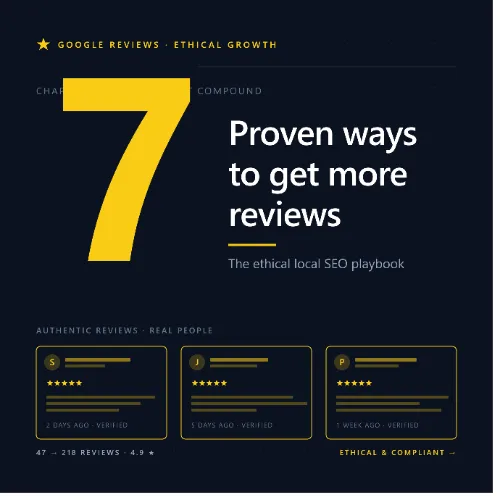
get more Google reviews ethically Key Takeaways
Earning more Google reviews ethically is one of the most sustainable ways to improve local search visibility and build trust with potential customers.
- get more Google reviews ethically by focusing on exceptional service and simple request processes, not incentives or fake reviews.
- Responding to every review — positive or negative — signals engagement and boosts your Google Business Profile authority.
- Leveraging GBP features like review links and Q and A helps customers leave feedback with minimal friction.
Why Ethical Review Building Matters for Local Businesses
Customer reviews are the lifeblood of local SEO. They influence your Google Maps ranking, your click-through rate, and ultimately whether a prospective customer chooses your business over a competitor. However, the temptation to cut corners — offering discounts for positive reviews, posting fake testimonials, or review-gating — can lead to penalties, suspension of your Google Business Profile, and a permanent loss of consumer trust. For a related guide, see 12 Reasons Your Content Isn’t Ranking: Avoid These Common Mistakes.
By focusing on ethical Google review strategies, you build a reputation that attracts real customers and satisfies Google’s guidelines. The payoff is not just a higher star rating but a loyal community that organically advocates for your brand.
7 Proven Ethical Strategies to Get More Google Reviews
1. Deliver an Unforgettable Customer Experience
No strategy replaces the power of genuinely excellent service. When a customer feels valued, heard, and delighted, they are far more likely to leave a five-star review without being asked. Train your team to go above expectations: remember names, follow up after service, and resolve issues immediately.
For a restaurant, this could mean a complimentary dessert on a special occasion. For an HVAC company, it might be leaving the workspace spotless after a repair. These small touches create the emotional trigger for a positive review.
2. Make the Review Link Accessible Everywhere
Once you’ve earned a happy customer, remove every obstacle between them and the review page. Google allows you to generate a short, direct review link from your Business Profile. Place this link in your email signature, on your website footer, on receipts, and in follow-up text messages.
When sending an email request, include the link and a simple call-to-action like “We’d love your feedback on Google.” Avoid long forms or instructions — just a single click.
3. Time Your Review Requests Perfectly
Timing is critical. The best moment to ask for a review is immediately after a positive interaction — right after a successful purchase, a solved problem, or a completed appointment. As the experience is still fresh, the customer is most likely to say yes.
Automated tools like Podium or Birdeye can help schedule follow-up texts or emails within hours of service. Just ensure the message is polite and offers an easy opt-out.
4. Respond to Every Review — Good or Bad
Responding to reviews serves two purposes: it shows Google that your profile is active and engaged (boosting local ranking), and it demonstrates to future customers that you care about feedback. Thank reviewers for positive comments. For negative reviews, apologize sincerely, acknowledge the issue, and explain how you’ll fix it — without being defensive.
A professional response to a one-star review can sometimes convince the unhappy customer to revise their rating, and it always reassures other readers.
5. Never Offer Incentives for Positive Reviews
Google’s guidelines explicitly prohibit offering money, discounts, or free items in exchange for reviews. Violating this can result in removal of reviews or suspension of your profile. Instead, focus on earning reviews naturally through outstanding service.
You can offer a small token of appreciation to all customers who complete a feedback survey — just don’t tie the reward to a positive rating or a Google review specifically.
6. Leverage Google Business Profile Features Strategically
Your GBP dashboard includes features that encourage reviews without any hard sell. Enable the “Ask for reviews” button, which lets customers leave a review directly from your profile. Also, actively post updates, respond to Q and A questions, and add fresh photos. An active profile signals trust to both users and Google’s algorithm. For a related guide, see 11 Signs Google Doesn’t Trust Your Website: Essential Warning Signs.
Use the Q and A section to preemptively answer common questions; when customers see an informative, responsive profile, they feel more confident leaving their own feedback.
7. Create a Post-Service Follow-Up System
Build a simple automated workflow that runs after every completed transaction. For example, 24 hours after a service call, send a thank-you text with the review link. Include a personal touch like the name of the technician or salesperson. This systematic approach ensures no happy customer slips through the cracks.
Many local businesses see a 20–30% increase in review volume simply by implementing a consistent, polite follow-up sequence.
How to Handle Negative Reviews Without Breaking Guidelines
Even the best businesses receive a negative review occasionally. The key is to respond promptly, empathetically, and privately when possible. Offer to resolve the issue offline — provide a phone number or email for the customer to contact you directly. This shows others that you take accountability.
If a review violates Google’s policies (e.g., contains hate speech or spam), flag it for removal. Never ask customers to remove a negative review in exchange for a refund; this is considered review-gating and is against Google’s terms.
Common Mistakes to Avoid When Asking for Reviews
Several well-intentioned practices can backfire. Here are the most frequent errors local businesses make:
- Asking too soon — before the customer has fully experienced your product or service.
- Asking repeatedly — if a customer says no, respect their decision.
- Leaving reviews on behalf of customers — even with permission, Google forbids posting under someone else’s identity.
- Bribing or rewarding only positive reviews — this violates guidelines and erodes credibility.
Useful Resources
For further reading on Google review guidelines and local SEO best practices, visit these trusted sources:
- Google Business Profile review guidelines — official policy on prohibited and restricted content.
- Moz local search ranking factors survey — comprehensive research on what influences local pack rankings.
Frequently Asked Questions About get more Google reviews ethically
Is it ethical to ask customers for a Google review?
Yes, asking satisfied customers for a review is perfectly ethical as long as you do not pressure them or offer incentives tied to a positive rating. A polite request with a direct link is the standard approach.
Can I offer a discount in exchange for a review?
No. Google’s guidelines prohibit offering money, discounts, or free products in exchange for reviews. Doing so can result in review removal or profile suspension.
How many Google reviews do I need to rank higher?
There is no magic number, but local SEO studies suggest that businesses with 25–50 reviews often outperform competitors with fewer. Quality, recency, and response rates also matter.
What is the best way to respond to a one-star review?
Respond publicly with empathy: thank the reviewer, apologize for the specific issue, and offer to make it right offline. Never argue or blame the customer.
Should I only ask happy customers for reviews?
Yes. Targeting satisfied customers increases the likelihood of positive reviews. However, if you receive a negative review naturally, respond professionally — it builds trust with future readers.
Can I use a QR code to ask for reviews in my store?
Absolutely. Placing a QR code on tables, receipts, or at checkout that links directly to your Google review page is a low-friction, ethical method.
How do I generate my direct Google review link?
Log into your Google Business Profile, go to the “Reviews” tab, click “Ask for reviews,” and copy the short link provided. You can share this link anywhere.
Is it okay to ask family and friends for reviews?
Only if they are actual customers. Google requires that all reviews come from genuine experiences with your business. Fake reviews from non-customers violate guidelines.
How often should I ask for reviews?
After every positive transaction, but only request it once per customer per visit. Repeated requests can feel spammy and harm your reputation.
Will responding to reviews help my SEO?
Yes. Google’s algorithm considers profile engagement signals, including response rate and reply frequency. Responding to reviews can positively influence local ranking.
Can I remove a fake review from my Google profile?
Yes. Flag the review as inappropriate via your Google Business Profile dashboard. Google will evaluate it and remove it if it violates policies.
Should I ask for reviews in person or by text?
Both work well. In-person requests feel personal, while text or email provides a convenient link. Choose the method that fits your customer relationship best.
Do photos in Google reviews help my ranking?
Yes. Profiles with a higher number of photo-rich reviews tend to perform better in local search results. Photos add authenticity and engagement.
Can I ask customers to mention specific services in their review?
It is ethical to suggest relevant keywords (e.g., “plumbing repair” or “vegan pizza”), as long as you do not dictate the rating or content. Let them write freely.
What should I do if a customer leaves a negative review after a refund?
Respond calmly and offer to resolve the remaining issue offline. Even if the refund was issued, a professional response shows you care about customer satisfaction.
Is it okay to have a sign in my business asking for reviews?
Yes. A simple sign with your Google review link or QR code is acceptable, as long as it does not promise any reward for leaving a review.
Do Google reviews expire or get removed over time?
Reviews do not automatically expire, but old reviews may carry less weight. Consistent fresh reviews maintain profile activity and relevance.
How can I encourage reviews without being pushy?
Frame your request as a genuine invitation to help other customers. Say something like, “If you enjoyed your experience, we’d love a quick review on Google.”
What is review-gating and why is it prohibited?
Review-gating means screening customers (e.g., through a survey) and only asking happy ones to leave a review. Google prohibits this because it skews ratings.
Can I use a third-party service to automate review requests?
Yes, as long as the service does not filter reviews or incentivize positive ratings. Tools like Birdeye or Podium are popular and guideline-compliant when used properly.