
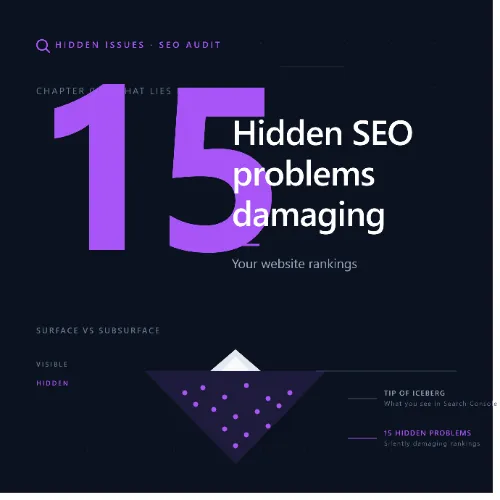
hidden SEO problems Key Takeaways
Your website may look fine on the surface, but hidden SEO problems can quietly sabotage your search rankings and organic traffic.
- Many hidden SEO problems like orphan pages and crawl waste fly under the radar but directly impact indexing and rankings.
- Technical errors such as soft 404s, redirect chains, and poor Core Web Vitals are frequent SEO mistakes in your website that require regular audits to catch.
- Content gaps, keyword cannibalization, and thin pages represent strategic hidden SEO website issues that hurt topical authority over time.
Why Identifying Hidden SEO Problems Matters for Your Rankings
Many website owners focus on obvious tactics like adding keywords or building backlinks, but the silent culprits—technical glitches, content bloat, and structural flaws—can undo all that effort. Hidden SEO problems often go unnoticed because they don’t trigger warnings in basic analytics. Instead, they slowly erode your site’s authority and user experience. By systematically auditing for these issues, you can protect your existing rankings and create a stronger foundation for growth. For a related guide, see 8 Search Intent Mistakes Killing Your SEO Rankings (Avoid These).
What Are Hidden SEO Website Issues?
These are problems that don’t produce immediate red flags but gradually reduce crawl efficiency, dilute link equity, or confuse search intent. Common examples include duplicate meta tags across thousands of pages, internal links pointing to redirect chains, and content that satisfies neither users nor search engines. Catching hidden SEO website issues before they compound is essential for maintaining steady organic performance.
The 15 SEO Mistakes in Your Website You Might Be Missing
Below are the 15 most impactful hidden SEO problems, grouped into technical, content, and structural categories. Each entry includes an explanation and a practical fix.
1. Orphan Pages That Search Engines Never Find
Orphan pages have no internal links pointing to them, making them invisible to crawlers unless submitted via sitemap. They can accumulate outdated or low-value content that wastes crawl budget. Fix: Run a site audit to identify pages with zero internal links, then either integrate them into your site structure or remove them.
2. Soft 404 Errors That Look Like Real Pages
A soft 404 returns a “page not found” message but with a 200 status code. Search engines may index these pages, causing them to appear in search results with no useful content. Fix: Check for pages with extremely low word counts or generic “no results” messages and return a proper 404 or 410 status.
3. Keyword Cannibalization Diluting Your Rankings
When multiple pages target the same keyword, they compete against each other, causing both to rank lower than they could. Fix: Consolidate similar articles into a single comprehensive guide and use canonical tags or 301 redirects on duplicates.
4. Thin Content Pages That Add No Value
Pages with very little text or duplicated content from other sources offer no unique value to searchers. Google may deindex them or penalize your site. Fix: Merge thin pages into richer resources, or remove them and redirect relevant traffic to similar content.
5. Broken Internal Links That Waste Crawl Budget
Broken links create a poor user experience and waste crawl resources that could be spent on important pages. Fix: Use a crawler tool to detect 404 links and update or remove them. Prioritize links from high-authority pages.
6. Redirect Chains Slowing Down Page Load
Multiple redirects in a chain (e.g., Page A redirects to Page B, which redirects to Page C) increase load time and dilute link equity. Fix: Replace chains with a single 301 redirect directly to the final destination URL.
7. Missing or Duplicate Meta Tags
Duplicate meta descriptions and title tags confuse search engines about which page to show for a query. Fix: Ensure every page has a unique, descriptive meta title and description that matches the content.
8. Slow Core Web Vitals That Hurt User Experience
Large layout shifts, slow Largest Contentful Paint (LCP), and high First Input Delay (FID) are hidden SEO problems that can drop your rankings, especially on mobile. Fix: Optimize images, reduce server response time, and remove render-blocking resources.
9. Index Bloat From Low-Value URLs
Search engines may waste budget indexing thousands of filter, tag, or parameter URLs that offer no unique value. Fix: Use “noindex” tags on paginated archives, tag pages, and parameter-heavy URLs to focus crawl budget.
10. Missing Alt Text on Images
Images without alt text miss ranking opportunities in image search and provide no context to visually impaired users. Fix: Add descriptive, keyword-rich alt text to every meaningful image on your site.
11. Over-Optimized Anchor Text in Internal Links
Using the same exact-match anchor text for every internal link can trigger spam filters and reduce link value. Fix: Vary anchor text naturally, using branded, generic, and partial-match phrases.
12. Mobile Usability Gaps
Text too small to read, clickable elements too close together, or content wider than the screen are common SEO mistakes in your website that harm mobile rankings. Fix: Use Google’s Mobile-Friendly Test and adjust viewport, font sizes, and touch targets. For a related guide, see 8 Shopify SEO Mistakes to Avoid: Essential Fixes for Higher Rankings.
13. Scheduled Content That Stays Stale
Old blog posts and pages with outdated statistics or expired offers lose relevance over time. Fix: Implement a content freshness audit every 6 months. Update dates, refresh data, and rewrite sections that are no longer accurate.
14. Unintended Noindex Tags on Important Pages
A misplaced “noindex” tag on a blog post, product page, or category can keep it out of search results entirely. Fix: Use a site audit tool to check every URL’s indexation status and remove accidental noindex directives.
15. Schema Markup That Is Missing or Incorrect
Structured data helps search engines understand your content and generate rich snippets, but wrong implementation can be ignored or cause penalties. Fix: Validate your schema with Google’s Rich Results Test and ensure it matches the content on the page.
How to Conduct a Regular Audit for Hidden SEO Website Issues
Addressing these 15 problems once is not enough. Search engines change, and your site evolves. Develop a quarterly audit routine that includes crawling your site for orphan pages, checking index coverage in Google Search Console, reviewing Core Web Vitals reports, and analyzing your top pages for keyword cannibalization. Use tools like Screaming Frog or Ahrefs to automate many of these checks. Catching hidden SEO website issues early prevents small problems from becoming ranking disasters.
SEO Entities and Their Functions
Understanding key SEO entities helps you diagnose the problems listed above. Here are the most relevant ones:
- Technical SEO entities: Crawl issues, redirect chains, canonicals, duplicate content, Core Web Vitals, and indexability status expose obstacles that prevent crawling, ranking, or a good page experience.
- Content entities: Articles, authors, topics, published dates, social shares, and referring domains to content help evaluate editorial quality, freshness, authorship, engagement, and link attraction.
- Keyword entities: Organic keywords, keyword difficulty (KD), search volume, traffic potential, and SERP features show demand, competition, ranking opportunity, and result-type requirements.
Useful Resources
For deeper dives into technical audits, see Google’s Technical SEO Guide. For a complete list of crawl errors and how to fix them, visit Ahrefs’ Technical SEO Guide.
Frequently Asked Questions About hidden SEO problems
What are hidden SEO problems?
Hidden SEO problems are issues that negatively affect your search rankings but are not immediately visible in standard analytics or quick checks. Examples include orphan pages, soft 404 errors, keyword cannibalization, and redirect chains.
How often should I audit for hidden SEO website issues ?
A thorough SEO audit should be performed at least once per quarter. If your site is large or frequently updated, monthly checks on key metrics like Core Web Vitals and crawl errors are recommended.
Can hidden SEO problems cause a manual penalty?
Not usually. Most hidden SEO problems are algorithmic issues rather than spam violations. However, severe cases like massive duplicate content or cloaking can trigger a manual action.
What is the most common hidden SEO problem?
Keyword cannibalization is one of the most common and overlooked issues, especially on content-heavy sites where multiple articles target the same phrase.
How do I find orphan pages on my site?
Use a crawler tool like Screaming Frog or Ahrefs. After crawling, look for pages with zero internal links. Cross-reference with your sitemap to identify which ones are still needed.
What is a soft 404 error?
A soft 404 is a page that returns a 200 status code but displays a “not found” message. Search engines may still index it, wasting crawl budget and confusing users.
Can duplicate meta tags hurt rankings?
Yes. Duplicate or missing meta tags can make it harder for search engines to understand which page is most relevant for a query, potentially lowering click-through rates and rankings.
Does page speed really affect SEO?
Yes. Core Web Vitals are a ranking signal. Slow pages with poor LCP, FID, or CLS scores rank lower, especially in mobile search results.
What is index bloat?
Index bloat occurs when search engines crawl and index thousands of low-value URLs (such as filter parameters or pagination pages), which prevents them from discovering your important content.
How do I fix index bloat?
Use “noindex” tags on low-value URLs, consolidate paginated series into a single page when possible, and use robots.txt to block unnecessary parameter paths.
Why is alt text important for SEO?
Alt text helps search engines understand what an image depicts, which can lead to visibility in Google Image Search. It also improves accessibility for users with screen readers.
What is keyword cannibalization?
Keyword cannibalization occurs when multiple pages on your site target the same keyword, causing them to compete against each other and dilute ranking potential. Consolidating those pages into one authoritative resource is the best fix.
Can internal linking cause SEO problems?
Yes. Over-optimized anchor text, broken internal links, and links pointing through redirect chains can all hurt your site’s link equity and crawl efficiency.
How do I check for broken internal links?
Use a crawler tool and filter for 4xx and 5xx status codes. Review the referring pages and update the broken links to point to the correct or replacement URL.
What is a redirect chain?
A redirect chain is a series of redirects (e.g., A to B, B to C) before reaching the final page. Each redirect adds load time and dilutes link equity, so you should replace chains with a single 301 redirect.
Does schema markup fix hidden SEO problems?
No, but proper schema helps search engines display your content as rich snippets, which can improve click-through rates and indirectly support rankings. However, incorrect schema can cause warnings.
How do I know if a page has a noindex tag by mistake?
In Google Search Console, go to the Pages report under Indexing. Filter for “Excluded” and look at the reason. If you see “Excluded by ‘noindex’ tag” on pages you want indexed, remove the tag.
Should I update old blog posts for freshness?
Yes. Regularly updating old content with new information, current statistics, and improved formatting can boost its relevance and ranking potential. This is a key part of content maintenance.
What is thin content?
Thin content refers to pages that offer very little unique value, such as auto-generated articles, pages with minimal text, or duplicated content. These can be deindexed or penalized.
How can I prevent thin content?
Consolidate short or shallow pages into comprehensive resources, remove or redirect pages that add no value, and ensure every page has at least 300 words of original, useful content.