
AI Tools for Creating Viral Social Media Content Key Takeaways
After 18 years in search and content strategy, I can tell you that the right AI Tools for Creating Viral Social Media Content cut production time by more than half while boosting engagement rates.
- The landscape of AI Tools for Creating Viral Social Media Content now spans video generation, caption writing, hashtag discovery, and full content scheduling.
- Each tool in this list was chosen for real-world viral potential, not just feature count.
- You’ll find actionable tips and exact use cases for Instagram, TikTok, YouTube Shorts, LinkedIn, and Facebook.
Why I Recommend Specific AI Tools for Creating Viral Social Media Content
I’ve tested dozens of platforms over the past two years, and most fail because they prioritize volume over relevance. The best AI tools for social media don’t just generate content—they understand platform algorithms, audience psychology, and trending formats. Below, I break down 25 tools that actually deliver viral results, whether you’re an influencer, a small business owner, or a full marketing agency. For a related guide, see Social Signals SEO: 5 Powerful Facts to Boost Rankings.
What Makes a Tool “Viral-Ready” in 2026?
Viral content today relies on three pillars: speed of production, emotional resonance, and format-native design. AI social media tools 2026 must handle short-form video, interactive carousels, and AI-generated voiceovers without breaking the creative flow. The tools in this list pass all three checks. For a related guide, see 50 Ways AI is Completely Changing Social Media Marketing in 2026.
1. AI Video Generator — Opus Clip
Opus Clip turns long videos into short, viral clips automatically. It identifies the most engaging moments, adds captions, and reformats for TikTok, Reels, and Shorts.
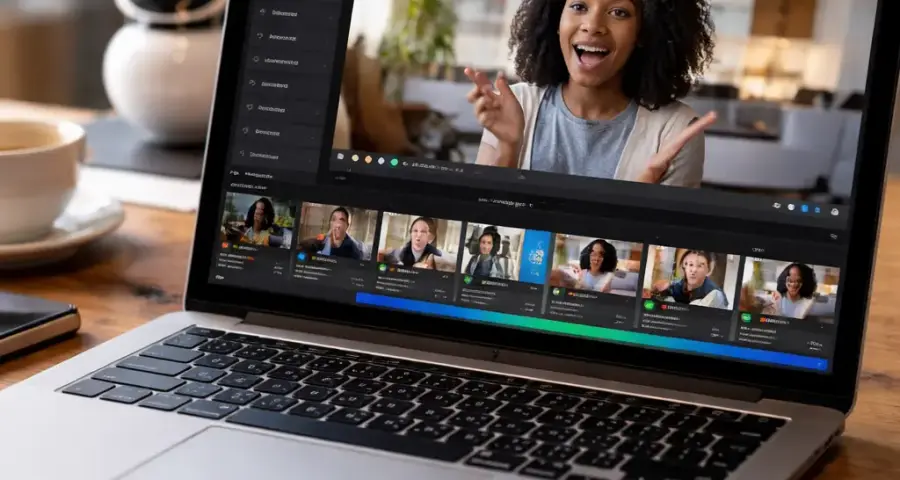
Key Features: AI highlight detection, auto-captioning, platform-specific resizing.
Best for: Podcasters, webinar hosts, and YouTubers repurposing content.
Tip: Use Opus Clip to extract 3–5 clips from every long video, then A/B test captions using its built-in editor.
2. AI Caption Generator — Copy.ai
Copy.ai writes captions that match your brand voice and platform style. It generates hooks, CTAs, and hashtag sets in seconds.
Key Features: Tone presets, platform templates, multi-language support.
Best for: Social media managers and freelancers who write dozens of captions daily.
Tip: Always edit the first sentence to match your personal cadence—AI still needs a human touch for authenticity.
3. AI Content Planner — Later + AI Assist
Later’s AI Assist suggests optimal posting times, content themes, and even auto-generates first drafts based on your past top performers.
Key Features: Visual calendar, AI post suggestions, Instagram-first analytics.
Tip: Feed your top 10 posts into Later’s AI engine to train it on your brand’s “viral pattern.”
4. AI Post Creator — Canva Magic Studio
Canva’s Magic Studio combines AI image generation, text-to-design, and background removal into one workflow. It’s the easiest way to create scroll-stopping visuals without design skills.
Key Features: Magic Write, Magic Design, AI photo editing.
Best for: Small business owners and local brands needing fast, branded graphics.
Tip: Use “Magic Design” and upload a screenshot of your competitor’s post—Canva will generate similar layouts in your brand colors.
5. AI Reels Creator — InVideo AI
InVideo AI creates entire Reels from a text prompt. It picks stock footage, adds voiceover, transitions, and even suggests trending music.
Key Features: Script-to-video, AI voiceover library, trending audio integration.
Tip: Prompt InVideo with a question your audience searches for (e.g., “How to clean leather shoes”) and post the resulting Reels on both Instagram and TikTok.
6. AI Short Video Tools — Pictory
Pictory extracts key scenes from long-form content and turns them into short videos with auto-generated captions and summary clips.
Best for: Content repurposing at scale.
Tip: Use Pictory’s “Highlight Reel” feature to create 5 different 30-second versions of one lecture or podcast episode.
7. AI Image Generator — Midjourney V6
Midjourney produces hyper-realistic and stylized images that look native to social feeds. It’s the gold standard for brand visuals and meme templates.
Key Features: High-resolution outputs, style consistency, community prompt library.
Best for: Brand strategists and creative agencies.
Tip: Create a consistent character or aesthetic across posts by reusing the same “—style” parameter in every prompt.
8. AI Copywriting Tools — Jasper
Jasper writes long-form captions, ad copy, and LinkedIn posts with brand voice control. It’s reliable for volume without losing coherence.
Best for: Ecommerce sellers and affiliate marketers writing product posts.
Tip: Use Jasper’s “Brand Voice” feature to upload your past top-performing posts as reference material.
9. AI Content Ideas — Frase
Frase analyzes trending questions and search queries in your niche, then generates content briefs and outlines for social posts.
Best for: Digital marketers and SEO specialists who want content that ranks and resonates.
Tip: Run your core keyword through Frase’s “Content Planner” to discover 10 question-based post ideas instantly.
10. AI Hashtag Generator — Hashtagify
Hashtagify’s AI suggests hashtags based on real-time popularity and competition levels. It also tracks hashtag performance over time.
Best for: Instagram and TikTok creators who need fresh hashtag sets weekly.
Tip: Mix 5 broad, 10 medium, and 5 niche-specific hashtags for optimal reach, and rotate them every 7 days.
11. AI for Influencers — HypeAuditor
HypeAuditor analyzes audience authenticity, engagement quality, and brand safety. It’s essential for influencers who want to pitch data-backed proposals.
Best for: Influencers and brand managers.
Tip: Run a monthly audit of your own account to catch bot followers before they hurt your engagement rate.
12. AI Branding Tools — Looka
Looka generates full brand kits—logos, color palettes, typography—and applies them to social templates automatically.
Best for: New businesses and personal brands.
Tip: Use Looka’s “Brand Kit” export to import your assets directly into Canva or Later.
13. AI Video Editing Software — Runway ML
Runway ML provides real-time AI editing: background removal, object tracking, and text-to-video generation. It’s powerful but has a learning curve.
Best for: Advanced video editors and production teams.
Tip: Use Runway’s “Inpainting” feature to remove unwanted objects from your Reels without re-shooting.
14. AI Meme Generator — Kapwing
Kapwing’s AI meme generator suggests templates based on trending formats and lets you add text, subtitles, and emojis in one click.
Best for: Meme page owners and community managers.
Tip: Upload a screenshot of a relatable situation and let Kapwing’s AI find the matching meme layout.
15. AI Engagement Tools — ManyChat
ManyChat automates direct message conversations on Instagram and Facebook using AI-driven responses and branching logic.
Best for: Brand strategists and ecommerce stores.
Tip: Set up a “comment-to-DM” flow that sends a discount code when someone comments a specific keyword on your post.
16. AI Powered Social Media — Buffer AI Assistant
Buffer’s AI suggests post variations, optimal posting times, and content reuse ideas based on past performance data.
Best for: Freelancers and small teams.
Tip: Review Buffer’s weekly “AI Insights” email to see which content angles drove the most clicks.
17. AI Design Tools — Adobe Firefly
Firefly generates vector graphics, textures, and 3D assets from text descriptions. It integrates directly with Photoshop and Illustrator.
Best for: Graphic designers and creative agencies.
Tip: Use Firefly to create background patterns for your carousel posts, then overlay text in Canva.
18. AI Tools for YouTube Shorts — TubeBuddy
TubeBuddy’s AI recommends tags, titles, and thumbnail designs specifically for YouTube Shorts. It also suggests trending topics from the platform.
Best for: YouTubers and online educators.
Tip: Use TubeBuddy’s “Thumbnail Analyzer” to test which AI-generated thumbnails get higher CTR.
19. AI Tools for LinkedIn Content — Taplio
Taplio uses AI to draft LinkedIn posts, schedule them, and analyze engagement patterns. It also suggests content ideas based on your industry.
Best for: LinkedIn creators and B2B marketers.
Tip: Auto-generate 5 post drafts every Sunday, then schedule them across the week with one click.
20. AI Voice Generator — ElevenLabs
ElevenLabs produces human-like voiceovers with emotion and pacing control. It’s perfect for TikTok voiceovers and YouTube Shorts narrations.
Best for: Creators who don’t want to record their own voice.
Tip: Clone your own voice with ElevenLabs’ “Voice Lab” for consistent brand audio.
21. AI Animation Tools — Animaker
Animaker generates animated explainer videos and character-based content using AI lip-sync and movement presets.
Best for: Educators and storytellers.
Tip: Use the “Talking Head” animation mode for quick, personalized video replies to comments.
22. AI Marketing Automation — HubSpot Social Inbox
HubSpot’s AI monitors mentions, recommends replies, and schedules cross-platform posts. It also measures engagement ROI.
Best for: Marketing agencies and enterprise teams.
Tip: Set up automated “first reply” drafts for common questions to cut response time in half.
23. AI Content Scheduler — Planable
Planable uses AI to recommend the best publishing times for each platform and auto-generates post previews for client approval.
Best for: Agencies and team collaboration.
Tip: Use Planable’s “AI Bulk Upload” to schedule 30 posts in under 10 minutes.
24. AI Content Repurposing — Repurpose.io
Repurpose.io automatically adapts and publishes content from one platform to another (e.g., YouTube to TikTok to Pinterest).
Best for: Creators with multiple platform presences.
Tip: Connect your YouTube channel to Repurpose.io and have it auto-clip videos into vertical Shorts and Reels daily.
25. AI Trend Analysis Tools — Exploding Topics
Exploding Topics tracks search trends and social signals to identify topics before they spike. It helps you create content on the rising curve.
Best for: Growth hackers and digital marketers.
Tip: Run a weekly “trending topics” report and create one Reel or TikTok about the fastest-rising term.
How to Choose the Right AI Tools for Creating Viral Social Media Content
With 25 options, you might feel overwhelmed. Start by identifying your primary bottleneck: is it writing captions, editing videos, or discovering ideas? Then pick one tool from that category. Once you master it, layer in a second tool. Most of my clients at jingrey.com achieve viral consistency by stacking 3–4 AI tools that cover creation, scheduling, and analytics.
Budget-Friendly vs. Premium AI Social Media Tools 2026
If you’re a beginner, start with free tiers of Canva Magic Studio, ChatGPT for captions, and Later’s free plan. For professional creators, invest in Opus Clip, Midjourney, and ElevenLabs. The ROI from one viral post can pay for the entire stack.
Useful Resources
Explore these external sources for deeper data on viral content benchmarks and AI workflows:
Frequently Asked Questions About AI Tools for Creating Viral Social Media Content
What are the best AI tools for social media ?
The best AI tools for social media include Opus Clip for video, Copy.ai for captions, and Canva Magic Studio for design. Your choice depends on your primary content format.
Which AI tool is best for Instagram Reels ?
InVideo AI and Opus Clip both excel for Instagram Reels. InVideo generates Reels from text, while Opus clips existing long videos into Reel-length segments.
Can AI create viral TikTok videos ?
Yes. AI tools like Pictory and Runway ML help create TikTok videos, but virality still depends on timing, audio trends, and audience engagement. AI handles production; you handle strategy.
What AI tools do influencers use ?
Influencers commonly use Later for scheduling, Copy.ai for captions, HypeAuditor for audience analysis, and Midjourney for branded visuals.
How does AI help social media creators ?
AI saves time on repetitive tasks like caption writing, video editing, and hashtag research, allowing creators to focus on storytelling and engagement.
What is the best AI video generator for social media?
Opus Clip is my top pick for repurposing content, while InVideo AI is best for generating new videos from scratch.
Can AI write social media captions ?
Absolutely. Copy.ai, Jasper, and ChatGPT all generate high-quality captions. Always edit for brand voice and accuracy.
Which AI tool is best for content creators ?
Depends on your niche. Video creators benefit from Opus Clip, writers from Copy.ai, and designers from Canva Magic Studio.
What are free AI tools for social media marketing ?
Canva free, ChatGPT free tier, Later free plan, and Buffer free plan are excellent starting points for social media marketing. For a related guide, see SEO vs Social Media Marketing: 5 Key Differences for Smart Marketers.
How can AI improve engagement on social media ?
AI suggests optimal posting times, generates relatable captions, and automates replies, which directly increases comment rates and shares.
What AI app makes viral videos ?
Opus Clip and InVideo AI are the most reliable for making viral-style short videos quickly.
How do marketers use AI for content creation ?
Marketers use AI to brainstorm ideas, draft copy, generate visuals, schedule posts, and analyze performance across platforms.
What are the top AI tools for TikTok growth?
Opus Clip for clips, Hashtagify for hashtags, and ElevenLabs for voiceovers are top tools for TikTok growth.
Can AI generate social media posts automatically ?
Yes. Tools like Planable and Buffer can auto-generate and schedule posts based on your content calendar and brand guidelines.
Which AI tool is best for YouTube Shorts ?
TubeBuddy and Opus Clip are the best for YouTube Shorts—TubeBuddy for optimization and Opus for clip generation.
How can small businesses use AI for social media ?
Small businesses can use Canva Magic Studio for visuals, Copy.ai for captions, and Later for scheduling to maintain a consistent, professional presence.
What AI tools help with content scheduling ?
Planable, Later, Buffer, and HubSpot all offer AI-assisted scheduling that recommends optimal posting times.
Can AI generate hashtags for Instagram ?
Yes. Hashtagify and Later’s AI Assist generate relevant hashtag sets based on your content and trending tags.
What is the best AI image generator for social media?
Midjourney V6 produces the most striking images, while Canva’s Magic Media is more beginner-friendly and integrated into design workflows.
How does AI help influencers grow faster ?
AI automates content production, identifies trending topics, and analyzes audience data, so influencers can publish more relevant content in less time.