
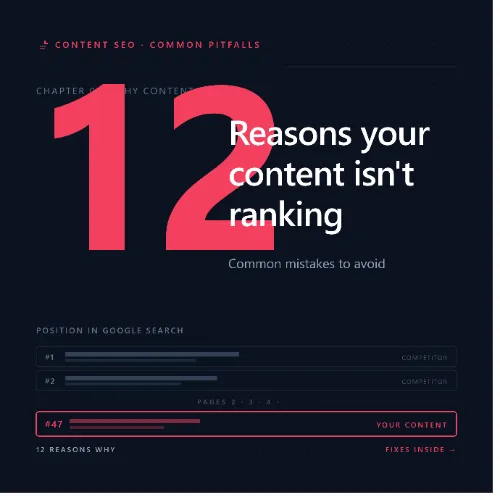
content isn t ranking Key Takeaways
If your content isn’t ranking , it’s rarely because Google dislikes you—more often, it’s a series of common, fixable mistakes.
- Your content isn’t ranking because it may miss search intent, target the wrong keywords, or lack authority signals like backlinks.
- Simple fixes like improving page speed, refining headings, and adding internal links can reverse performance quickly.
- Start with a content audit to identify which pages need structural or topical updates before you create new assets.
Why Your Content Isn’t Ranking Despite Solid Effort
You wrote a thorough article, optimized meta tags, and published it—yet the traffic never came. It’s a frustrating reality for many site owners, but the solution is almost always a matter of aligning strategy with Google’s ranking criteria. Below, we break down the twelve most common reasons your content isn’t ranking and exactly how to fix each one.
Reason 1: Missing Search Intent Match
Google rewards pages that closely match what users actually want. If your article explains “how to bake a cake” but the searcher typed “best bakery near me,” your content isn’t ranking because the intent is wrong. Always check the current top results for your target keyword: are they lists, guides, product pages, or reviews? Mirror that format. For a related guide, see 8 Search Intent Mistakes Killing Your SEO Rankings (Avoid These).
Practical tip: Before writing, search your keyword and study the top three results. Note the content type—informational, transactional, or navigational—and match it exactly.
Reason 2: Targeting Keywords With Low Search Volume
Sometimes your content isn’t ranking simply because nobody searches for that phrase. You may have written about a niche topic with zero monthly searches. Use a keyword research tool—like Ahrefs Keywords Explorer—and aim for terms with at least 50–100 monthly searches in your region.
Practical tip: Filter by “traffic potential” rather than search volume alone. A keyword with high traffic potential may appear in multiple related queries.
Reason 3: Thin Content That Lacks Depth
Google evaluates topical authority. A 300-word article packed with fluff rarely competes with a 1,500-word guide that covers definitions, examples, data, and actionable steps. If your content isn’t ranking, check word count and depth against competitors.
Practical tip: Expand each section with original insight, data, or a unique example. Aim for at least 1,000 words for most informational topics—and add subheadings to improve readability.
Reason 4: Weak or Missing Backlinks
Backlinks remain a strong authority signal. Without at least a few quality referring domains, your content isn’t ranking against pages that have earned links. New pages often require deliberate outreach or internal linking from existing high-authority posts.
Practical tip: Publish a linkable asset—like an original dataset or a comprehensive guide—and reach out to 10 relevant websites offering guest posts or collaboration.
Reason 5: Poor Page Experience and Core Web Vitals
Slow load speeds, layout shifts, or delayed interactivity hurt rankings. If your content isn’t ranking, test your page using Google PageSpeed Insights or the Core Web Vitals report in Search Console. Aim for LCP under 2.5s, FID under 100ms, and CLS under 0.1.
Practical tip: Compress images, enable browser caching, and reduce JavaScript that blocks rendering.
Reason 6: Keyword Cannibalization
When multiple pages on your site target the same keyword, Google struggles to decide which to rank—and often ranks none well. Your content isn’t ranking because you’re competing against yourself. Conduct a site search (site:yourdomain.com “keyword”) to identify duplicates.
Practical tip: Merge similar pages into one comprehensive guide and 301-redirect the others to the surviving URL.
Reason 7: Ignoring Internal Linking Opportunities
Internal links distribute page authority and help Google discover content. If your content isn’t ranking, it may sit orphaned with zero internal links. Link to it naturally from your homepage, blog archive, or from a more popular post on a related topic.
Practical tip: Use a tool like Ahrefs Site Audit to find orphan pages and add contextual internal links from at least two other relevant posts.
Reason 8: Weak Title Tags and Meta Descriptions
Title tags are a direct ranking signal and the first thing users see in SERPs. A generic or non-descriptive title can suppress click-through rates, signaling to Google that your page is less relevant. Your content isn’t ranking may also stem from a missing or duplicate meta description.
Practical tip: Write a title that includes the target keyword near the front, and craft a meta description that includes a benefit or a data point (e.g., “Learn 12 actionable fixes in this guide”).
Reason 9: Outdated Content
Google favors fresh, updated content. If your content isn’t ranking but once performed well, it may have become stale. Check the publish date and refresh statistics, examples, broken links, and references annually.
Practical tip: Set a quarterly review calendar. For each page, update at least three facts, add a new section, and republish with a fresh date.
Reason 10: Missing Structured Data (Schema Markup)
Schema helps Google understand your content and may enable rich snippets like featured snippets, FAQs, or reviews. Without it, your content isn’t ranking as prominently. Add FAQ schema for listicle questions or HowTo schema for step-by-step guides.
Practical tip: Use Google’s Structured Data Markup Helper or a plugin like Rank Math to add relevant schema without coding.
Reason 11: Technical Blockers—Crawl Errors and Indexation Issues
If your content isn’t ranking, it may not be indexed at all. Check Google Search Console for crawl errors, “noindex” tags, or blocked resources. Also verify that robots.txt allows crawling of the URL.
Practical tip: Submit the URL directly to Google Search Console’s URL Inspection tool and request indexing. Fix any “not found” (404) links pointing to the page.
Reason 12: Lack of Content Promotion and Distribution
Publishing and hoping is not a strategy. If your content isn’t ranking, it may lack initial signals like social shares, referrals, or mentions that kickstart visibility. Share on LinkedIn, Reddit, industry newsletters, and relevant forums.
Practical tip: Build a distribution checklist: email list, social media (2–3 platforms), and at least one community (e.g., relevant subreddit or Facebook group).
SEO Entities and Their Functions
Understanding the entities that impact ranking can sharpen your diagnostic process. Below are key entities and what they reveal when your content isn’t ranking.
- Domain Rating (DR) and URL Rating (UR): DR shows overall site authority; UR reveals individual page strength. Low UR suggests a lack of backlinks to that specific URL.
- Referring domains: The number of unique websites linking to your page. A low count often correlates with poor rankings.
- Keyword Difficulty (KD): A score from 0–100 indicating competition. High KD topics may require more authority or better content depth to rank.
- Search intent: The “why” behind a query—informational, commercial, transactional, or navigational. Matching this is non-negotiable.
- Core Web Vitals: Metrics (LCP, FID, CLS) that measure user experience. Pages failing these often rank lower, especially for competitive queries.
- SERP features: Featured snippets, People Also Ask boxes, and video results influence click-through rates. Optimize for these to increase visibility.
Useful Resources
For further reading on diagnosing ranking issues, explore the following resources:
- Ahrefs Guide to Google Ranking Factors — comprehensive breakdown of the elements Google evaluates.
- Google SEO Starter Guide — official recommendations for improving site visibility.
Frequently Asked Questions About content isn t ranking
How long does it take for content to rank on Google?
New content typically takes 3–6 months to rank for competitive queries, but some pages in low-competition niches may rank within days. Patience and consistent optimization are key.
Can I rank without backlinks?
Yes, for low-competition keywords or when your page has strong topical authority and excellent user experience. However, backlinks significantly accelerate rankings and are essential for competitive terms.
Does content length affect rankings?
Not directly, but longer content often covers a topic more comprehensively, which can improve user engagement and increase the chance of earning backlinks. Focus on depth, not word count alone. For a related guide, see 13 Signs Your Website Lacks Topic Depth: Avoid These Content Gaps for 2026.
Why is my old content not ranking anymore?
Algorithm updates, increased competition, or outdated information can cause a decline. Update the page with fresh data, fix broken links, and improve internal linking to regain positions.
What is the biggest reason content fails to rank?
Mismatched search intent is the most common reason. Even perfectly written content will struggle if it doesn’t answer the query in the format users expect.
How do I check if my page is indexed?
Use the “site:yourdomain.com/your-page-url” search query. If the page appears in results, it’s indexed. You can also use Google Search Console’s URL Inspection tool.
Does Google penalize duplicate content?
Google doesn’t impose a manual penalty for duplicate content, but it may filter out duplicate pages or distribute ranking signals poorly, causing your content isn’t ranking as expected.
Should I use the exact keyword in every paragraph?
No—over-optimization can hurt readability and trigger keyword stuffing filters. Use the keyword naturally once or twice in the body and once in an H2 heading, and rely on LSI terms throughout.
How often should I update content?
For evergreen topics, update every 6–12 months. For news or rapidly changing fields, update quarterly. Add fresh statistics, examples, and internal links each time.
Can internal links help my content rank faster?
Yes. Internal links pass authority and help Google discover new pages faster. Link from older, high-ranking posts to your new content for a boost.
What is the difference between on-page and off-page SEO?
On-page SEO includes optimizations within your content (headings, meta tags, keywords). Off-page SEO includes external signals like backlinks and social shares that build authority. For a related guide, see 13 Proven Content Promotion Strategies for SEO Success.
My content is better than the top results—why am I not ranking?
Quality alone isn’t enough. You may lack backlinks, have slower page speed, or miss technical SEO elements. Run a competitor analysis to identify gaps in authority and user experience.
How do I find the right keywords for my content?
Use a tool like Ahrefs Keywords Explorer or Google Keyword Planner. Look for keywords with moderate search volume (100–1,000/month) and low-to-medium keyword difficulty.
Does social media help with SEO rankings?
Social shares are not a direct ranking factor, but they increase visibility and can lead to backlinks and traffic, which indirectly support rankings.
What is structured data and does it improve rankings?
Structured data (schema markup) helps Google understand your content. It doesn’t directly boost rankings but can enable rich results that improve click-through rates.
How do I fix keyword cannibalization?
Identify which page you want to rank for a keyword, then merge or 301-redirect other pages targeting the same term to the chosen URL. Use canonical tags if needed.
Why did my rankings drop after an algorithm update?
Algorithm updates often change ranking signals. Your page may now lack relevance compared to newer, more comprehensive content. Reassess your content’s depth, authority, and user experience.
What is a featured snippet and how do I get one?
A featured snippet is a summarized answer displayed at the top of search results. To earn one, answer a question clearly in a paragraph, list, or table format within the first section of your content.
Should I remove old content that isn’t ranking?
Not immediately. First, try updating it with fresh information and internal links. If it still doesn’t perform after 6 months, consider merging it with a better page or removing it to avoid cannibalization.
How do I check my page speed?
Use Google PageSpeed Insights or Lighthouse in Chrome DevTools. Aim for a score of 90 or above for both mobile and desktop.