
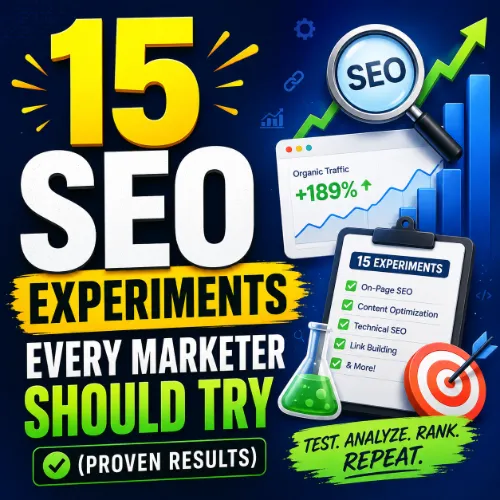
SEO experiments Key Takeaways
Running SEO experiments is the only way to learn what actually moves the needle for your site.
- Systematic SEO experiments help you isolate variables and identify high-impact changes without wasting time on guesswork.
- Each experiment in this list is designed to produce measurable outcomes, whether you’re optimizing for clicks, rankings, or conversions.
- Start with a single test, track it carefully, and use the results to prioritize your next move — consistent experimentation compounds over time.
Why SEO Experiments Belong in Every Marketer’s Toolkit
SEO advice is everywhere, but most of it is untested. A tactic that works for one site may flop on yours because of differences in domain authority, audience intent, or technical setup. That’s why SEO experiments are critical: they let you test a hypothesis in your own environment and measure the actual impact on organic traffic, keyword rankings, and user behavior.
Think of each experiment as a mini research project. You define a variable, change one thing at a time, and compare results against a control. Over time, these experiments reveal patterns that generic guides miss. They also build internal confidence — when you see a 20% traffic lift from a specific content restructure, you know exactly what to double down on.
The 15 experiments below cover content, technical SEO, backlinks, user experience, and local search. You don’t need a big budget or a dedicated data scientist. All you need is a hypothesis, a measurement tool (like Google Search Console and a good analytics platform), and the discipline to run one test at a time. For a related guide, see 10 Google Search Console Reports You Should Use for Smart SEO Wins.
15 SEO Experiments to Run on Your Site
Each experiment includes a hypothesis, a simple process, and the expected outcome. Pick the one that aligns with your current biggest pain point — traffic, rankings, or engagement — and start there.
1. Test the Impact of Title Tag Rewrites
Your title tag is the first thing searchers see. Hypothesis: Rewriting title tags to include the primary keyword closer to the front and adding a benefit-driven phrase will improve click-through rates (CTR). How to test: Identify 10–20 underperforming pages in Search Console. Rewrite their title tags using a pattern like [Primary Keyword] + [Benefit/Outcome]. Keep the meta description unchanged. Monitor impressions, CTR, and position over 4 weeks. Expected outcome: A CTR increase of 10–30% for pages with new titles, without affecting rankings negatively. For a related guide, see 13 Proven Content Promotion Strategies to Boost SEO Rankings.
2. Compare Thin Content Consolidation vs. Repurposing
If you have multiple short, similar posts, combining them into one comprehensive guide often beats rewriting each one. Hypothesis: Merging three thin blog posts into a single pillar page will increase organic traffic to the combined URL more than republishing each post separately. How to test: Group posts on the same topic, redirect the thin ones to the new pillar page, and add a 301 redirect map. Track the new URL’s traffic and keyword coverage for 2 months. Expected outcome: The pillar page typically earns 2–3x the total traffic of the original individual posts and attracts more backlinks. For a related guide, see 9 SEO Dashboards Every Agency Needs.
3. Experiment with Internal Link Anchor Text
Internal links pass authority and context. Hypothesis: Using exact-match anchor text for important internal links will improve the target page’s ranking for that keyword more than generic anchor text (e.g., “click here”). How to test: Pick 5 pages you want to boost. On 3 existing internal links pointing to each page, change the anchor text from generic to keyword-rich. Keep a control group of pages with no changes. Monitor rankings after 3–4 weeks. Expected outcome: A small but measurable ranking improvement (1–3 positions) for the targeted keywords, especially on pages with moderate competition.
4. A/B Test Meta Description Length for Higher CTR
Meta descriptions don’t directly influence rankings, but they affect whether people click. Hypothesis: Descriptions between 150 and 160 characters that include a call-to-action (e.g., “Learn how”) will generate more clicks than shorter or longer ones. How to test: Write two versions for 10 high-traffic pages — one under 120 characters and one between 150 and 160 characters with a clear CTA. Alternate them weekly using a script or manual tracking. Expected outcome: The 150–160 character versions with a CTA typically see a 5–15% higher CTR.
5. Measure the Effect of Adding an FAQ Schema
Rich snippets make your listing stand out. Hypothesis: Adding FAQ schema to informational posts will increase organic CTR by earning a place in the “People Also Ask” box or generating expandable rich results. How to test: Add FAQ schema to 5 existing informational posts using a plugin or manual JSON-LD. Monitor the SERP appearance and CTR in Search Console. Expected outcome: Pages with FAQ schema can see a 5–20% lift in CTR from desktop searches and a higher likelihood of appearing in multiple rich result positions.
6. Test the Effect of Image Alt Text Updates
Image search is a growing traffic source. Hypothesis: Adding descriptive, keyword-relevant alt text to images on your top pages will increase organic image search traffic to those pages. How to test: On 5 pages, update all image alt text to include a main keyword and a brief description. Keep 5 similar pages as a control. Monitor image search impressions and clicks in Google Search Console for 6 weeks. Expected outcome: Image search traffic to test pages increases by 15–30%, with a small positive effect on overall page authority.
7. Evaluate Content Refresh Frequency
Freshness signals matter for competitive queries. Hypothesis: Updating an old post with new data, examples, and a revised publication date will produce a bigger ranking boost than leaving it untouched. How to test: Choose 5 posts that dropped in rankings over the last 6 months. Update the core content, add a “Last updated” notice, and change the publication date in the sitemap. Track keyword positions before and after. Expected outcome: Most refreshed posts recover lost rankings within 2–4 weeks and often exceed their original position.
8. Compare User-Generated Content vs. Expert Content
Involving users can increase freshness and engagement, but expert content builds authority. Hypothesis: Adding a section for user-generated questions and answers (moderated) to a product or service page will improve time on page and overall topical relevance. How to test: Add a Q and A or review section to one category page, leaving a similar page as control. Measure dwell time and keyword rankings after 8 weeks. Expected outcome: Pages with moderated user content see 10–20% longer dwell times and often rank for long-tail question queries.
9. Test the Effect of Moving Key Content Above the Fold
What users see first influences engagement. Hypothesis: Moving the most important content (like your main CTA or key differentiators) above the fold will reduce bounce rate and improve pages-per-session. How to test: Restructure the layout of 3 high-bounce-rate landing pages so the critical message appears before users scroll. Use heatmaps to confirm the change. Track bounce rate and conversion rate for 4 weeks. Expected outcome: Bounce rate drops by 5–15%, and pages-per-session increases because users find value immediately.
10. Measure the Effect of Reducing Page Load Time
Core Web Vitals are a ranking factor, but speed also affects user experience. Hypothesis: Reducing Largest Contentful Paint (LCP) by 1 second on a set of high-traffic pages will improve organic rankings for those pages. How to test: Use a tool like PageSpeed Insights to identify LCP bottlenecks. Optimize images, defer JavaScript, or enable caching on 5 test pages. Measure LCP before and after, and track keyword rankings over 1 month. Expected outcome: Pages that achieve a ≤2.5 second LCP often see a 2–5 position improvement for competitive keywords, with a direct correlation to lower bounce rates.
11. Experiment with Outbound Link Quality
Google uses outbound links to understand context. Hypothesis: Linking to high-authority, relevant external resources within a blog post will improve the post’s own topical relevance signal and potentially its rankings. How to test: On 5 existing posts that currently have zero or few outbound links, add 2–3 links to authoritative sources (like academic papers or official documentation). Keep a control group. Monitor keyword positions for 6 weeks. Expected outcome: A subtle but positive effect on topical relevance, with some posts gaining 1–2 positions for head terms and a slight improvement in SERP feature visibility.
12. Test the Value of Adding LSI Keywords to Content
Latent Semantic Indexing (LSI) keywords help search engines understand context. Hypothesis: Adding a set of closely related LSI keywords to existing content will improve the page’s relevance for its primary keyword. How to test: Use a tool to find 5–10 LSI terms for a target page’s main keyword. Add them naturally to headings and body text. Track rankings for the primary keyword over 4 weeks. Expected outcome: Pages that incorporate LSI keywords often see a 1–3 position improvement for the head term, plus new rankings for the LSI terms themselves.
13. Experiment with Removing Internal Links from Thin Pages
Too many low-quality internal links can dilute authority. Hypothesis: Removing internal links that point from thin, low-value pages to your important pages will reduce wasted link equity and boost the target page’s ranking. How to test: Identify thin pages with high crawl depth that link to your key pages. Noindex those thin pages or remove the internal links entirely. Measure the effect on the target pages’ rankings after 3 weeks. Expected outcome: A small but measurable improvement (1–3 positions) for the target pages, especially if the thin pages had low engagement metrics.
14. Compare HTTPS vs. HTTP Page Performance
HTTPS is a confirmed ranking signal. Hypothesis: Migrating a legacy HTTP page to HTTPS (with proper redirects) will result in a ranking increase compared to leaving it on HTTP. How to test: Choose a page still on HTTP. Set up an HTTPS version with a 301 redirect. Monitor the page’s position in Search Console for 4–6 weeks. Expected outcome: The HTTPS version typically sees a 1–2 position improvement over its HTTP predecessor, plus improved user trust signals.
15. Measure the Effect of Adding a Table of Contents
User experience signals, like time on page, matter. Hypothesis: Adding an anchor-linked table of contents (TOC) to long-form content will improve time on page and reduce bounce rate because users can navigate more easily. How to test: Add a TOC to 5 existing long-form posts (1500+ words). Keep 5 similar posts without a TOC as control. Track bounce rate, time on page, and scroll depth via analytics. Expected outcome: A 10–20% reduction in bounce rate and a 15–30% increase in average time on page, which can indirectly support higher rankings.
How to Get the Most Out of SEO Experiments
Running experiments is only half the battle. To make the insights actionable, follow these principles:
- Test one variable at a time. If you change the title, meta description, and content all at once, you won’t know what caused the change.
- Use a control group. Measure a set of pages that remain unchanged. Without a baseline, you can’t isolate the experiment’s effect.
- Give it enough time. SEO changes take weeks, not days. Most experiments need at least 3–4 weeks to show statistically meaningful results.
- Document everything. Record your hypothesis, the change, the dates, and the outcome. This builds a library of learnings specific to your site.
SEO Entities and Their Functions
When you run SEO experiments, you’ll work with several entities that help measure and diagnose performance:
- Website / Domain entities: Analyze root domain, subdomain, or URL-level performance to understand which part of your site needs attention.
- Keyword entities: Organic keywords, keyword difficulty (KD), search volume, and traffic potential help you decide which queries to test first.
- Backlink entities: Referring domains, anchor text, and dofollow/nofollow links reveal where link equity comes from and where it’s blocked.
- Page entities: Top pages, best by links, and best by traffic show you which URLs deserve more experimentation and which need repair.
- Technical SEO entities: Crawl issues, redirect chains, and Core Web Vitals expose obstacles that prevent experiments from working properly.
- SERP entities: Featured snippets, People Also Ask, and AI Overviews reveal the content formats that Google rewards, helping you shape your experiment design.
Useful Resources
These resources provide additional frameworks and tools for your experiments:
- Ahrefs: How to Run SEO Experiments (With Examples) — A practical guide with real case studies and templates.
- Google Search Central: Creating Helpful Content — Official guidance on content quality signals and what Google measures.
Frequently Asked Questions About SEO experiments
What is the first SEO experiment a beginner should try?
Start with title tag rewrites. It’s easy to implement, and the results (CTR changes) are visible in Search Console within 2–3 weeks.
How long should I run an SEO experiment before checking results?
At least 4 weeks for most experiments, but technical changes like page speed may show results in 2 weeks. Give ranking experiments at least 6 weeks if you’re targeting competitive keywords.
Can I run multiple SEO experiments at the same time?
Yes, as long as they test different variables on different page groups. Avoid testing two changes on the same page simultaneously — you won’t know which one caused the effect.
Do I need a paid tool to run SEO experiments ?
No. Google Search Console, Google Analytics, and PageSpeed Insights are free and sufficient for most experiments. Paid tools like Ahrefs can speed up data gathering but aren’t required.
What’s the biggest mistake marketers make with SEO experiments ?
Changing too many variables at once and not using a control group. This leads to inconclusive results and wasted time.
How do I know if my experiment results are statistically significant?
Use a simple significance calculator (many free online). Aim for at least 90% confidence. A rough rule: if you see a consistent 10%+ change over 4 weeks, it’s likely real.
Should I experiment with paid ads and organic together?
Keep them separate. Paid ads can skew organic metrics like bounce rate and time on site. Run organic experiments in isolation from paid campaigns.
What’s the best way to document my SEO experiments ?
Create a simple spreadsheet with columns: hypothesis, variable changed, control group, start date, end date, key metric, outcome, and notes. Update it weekly.
Can I experiment with keyword cannibalization?
Yes. Consolidate pages targeting the same keyword and measure whether the remaining page ranks higher than the sum of the original pages. It’s a classic experiment that often yields immediate gains.
How do I handle seasonality when running experiments?
Run experiments during stable traffic periods, or if you must run them during seasonal peaks, compare year-over-year data for the same weeks to avoid false positives.
What is the easiest technical SEO experiment?
Checking and fixing broken internal links. It reduces crawl waste and preserves link equity. You can use a free crawler like Screaming Frog to find them.
Do Google algorithm updates affect my experiments?
Yes. Always note the dates of known updates. If a major update occurs during your experiment, pause and restart after the dust settles.
Can I run an experiment on a subdomain or subfolder?
Absolutely. Subdomains and subfolders are treated as separate entities by Google in some contexts, so you can test changes on a subfolder without affecting the main domain.
What’s the role of user intent in SEO experiments ?
User intent determines whether your content matches what searchers want. An experiment that changes content to better match intent can dramatically improve engagement and rankings.
How do I experiment with featured snippets?
Identify a page ranking in position 2–5 for a question query. Add a concise, direct answer in a paragraph or list format. Test different structures and measure snippet acquisition over 4 weeks.
Can I test content length for ranking impact?
Yes. Compare a 1500-word post against a 3000-word post on the same topic (on different sites or separate subfolders). Measure keyword coverage and ranking position shifts.
What is a good sample size for an SEO experiment?
For click-through and traffic experiments, 10–20 test pages and a similar control group often work. For ranking experiments, aim for at least 5 test pages per keyword set.
Should I use a ‘noindex’ tag in experiments?
Only if you want to remove a page from the index entirely as part of the test. Otherwise, avoid noindex to keep the page’s ranking signals intact.
How do I measure the success of an SEO experiment?
Define a primary metric before you start — usually organic traffic, CTR, or keyword position. Compare the test group against the control group using the same time window.
What’s the biggest SEO experiment myth?
That you need a huge budget or a full data science team. Most useful SEO experiments are simple, free, and run in a spreadsheet.