
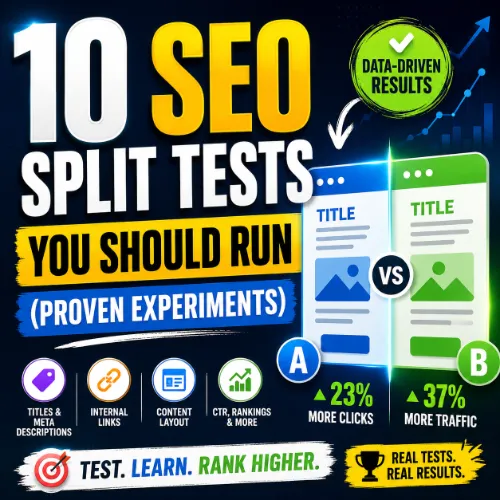
SEO split tests Key Takeaways
SEO split tests give you data-backed answers about what truly moves organic rankings, clicks, or conversions.
- SEO split tests help separate signal from noise — even small changes can lead to measurable ranking lift.
- Common test categories include on-page content, title tags, internal linking, schema, and page speed tweaks.
- Running proper A/B or A/A tests with adequate sample size and duration reduces false positives.
Why SEO split tests Belong in Every Content Strategy
Most SEO decisions today rely on best practices or gut feeling. But what works for one site may backfire on another. SEO A/B testing ideas let you treat your site as a laboratory: change one variable, measure the impact on organic traffic or click-through rate, and only implement the winner. Over time, this removes guesswork and compounds into serious ranking advantages.
Large-scale tests from Moz and Search Engine Land have shown that even title tag rewrites or meta description adjustments can move CTR by double digits. However, you need proper controls, enough traffic per variant, and patience to reach statistical significance. For a related guide, see 12 Advanced Internal Linking Strategies for Better SEO.
The 10 SEO split tests Worth Running
1. Title Tag Length and Click-Through Rate
What to test: Compare a short title (under 50 characters) versus a more descriptive title (55–60 characters) on a set of similar blog posts.
Why it matters: Title tags are the first impression in SERPs. A well-crafted title can increase CTR by 10–20%.
How to set up: Pick 10–20 pages with similar search intent. Use a tool like Google Search Console or A/B testing software (e.g., Google Optimize with URL targeting). Track organic impressions and clicks for each variant over 4–6 weeks.
2. Meta Description Relevance vs. Length
What to test: A standard meta description (155–160 characters) versus a longer, more persuasive description (up to 300 characters — Google now shows longer snippets in some cases).
Why it matters: The description influences whether searchers click. A test from Backlinko found longer descriptions sometimes boost CTR by up to 30%.
How to set up: Randomly assign half of your product or article pages to a long description variant. Use Google Search Console to compare click data.
3. Internal Link Placement in Content
What to test: Insert contextual internal links within the first 100 words versus placing them at the end of the article.
Why it matters: Internal links help distribute link equity and guide users to deeper content. Earlier placement may increase click-through on the linked page.
How to set up: Create two versions of 5–10 articles. Measure session duration, page views per session, and organic traffic to the target page.
4. Heading Structure (H2 and H3 Length)
What to test: Short, keyword-focused headings (2–4 words) versus longer, more descriptive headings (8–12 words).
Why it matters: Overly short headings may not satisfy user intent; overly long ones may dilute keyword relevance. A balanced approach is often best.
How to set up: Split 20 articles into two groups. Keep everything else identical. Compare organic traffic, time on page, and scroll depth.
5. Schema Markup Type vs. No Schema
What to test: Add review schema or FAQ schema to half of your eligible pages; leave the other half without any structured data.
Why it matters: Rich snippets can increase visibility and CTR. A study by Yoast observed an average CTR boost of 30% with FAQ schema.
How to set up: Implement schema via a plugin or code. Monitor appearance in search features (e.g., People Also Ask, rich stars) using Google Search Console’s Performance report.
6. Page Speed (Core Web Vitals) Improvements
What to test: Apply image compression and lazy loading to a test group of pages versus a control group without those optimizations.
Why it matters: Core Web Vitals are a ranking signal. Faster pages tend to have lower bounce rates and higher conversions.
How to set up: Use Lighthouse or PageSpeed Insights to measure baseline scores. After implementing changes, track organic rankings and page-level metrics in Google Search Console over 8–12 weeks.
7. Content Length: Short vs. Long Form
What to test: 1,000-word articles versus 2,000-word in-depth guides on the same topic.
Why it matters: Longer content often ranks higher for competitive keywords, but short content can be better for quick-answer queries.
How to set up: Write condensed and expanded versions for 5–10 similar queries. Monitor ranking position, organic traffic, and engagement (bounce rate, session duration).
8. Image Alt Text and File Names
What to test: Descriptive alt text (e.g., “red-leather-couch-living-room.jpg”) versus vague alt text (e.g., “wall-couch-001.jpg”).
Why it matters: Proper alt text helps your images rank in Google Images and improves accessibility.
How to set up: On half of your image-heavy pages, rewrite alt text and rename image files. Compare image search impressions and clicks in Google Search Console.
9. Call-to-Action Placement in Content
What to test: A CTA (e.g., “Download the guide”) placed immediately after the introduction versus after the main body content.
Why it matters: CTA position affects conversion rates, but also indirectly impacts SEO if users engage more (time on page, click depth).
How to set up: Use an A/B testing tool to serve different overlays or inline CTAs. Track conversion events alongside organic performance.
10. Opening Paragraph Style
What to test: A bulleted summary list as the first paragraph versus a standard prose introduction.
Why it matters: Users scan before reading. A clear summary can reduce bounce rate and encourage deeper reading.
How to set up: Create two versions of 10–15 articles. Keep the rest of the content identical. Compare organic bounce rate and average session duration after 4 weeks.
SEO A/B testing ideas and the Right Tools
Running these tests doesn’t require a huge budget. Free tools like Google Search Console, Google Optimize (now part of GA4), and even basic spreadsheet analysis can get you started. For more advanced testing, consider platforms like Optimizely, VWO, or content-specific tools like Unbounce for landing pages.
Remember: statistical significance matters. Use a sample size calculator to ensure you have enough data before calling a winner. Most SEO tests need at least 4 weeks of data to account for seasonal fluctuations and Google ranking updates.
Common Pitfalls in SEO split tests
Many beginners test too many variables at once. Stick to one change per test, or use multivariate testing only when you have high traffic. Also, avoid peeking at results every day — decide on a testing period in advance and stick to it. For a related guide, see 15 SEO Experiments Every Marketer Should Try (Proven Results).
Another mistake is ignoring the control group. Without a true control, you can’t know if the change caused the result or external factors (e.g., algorithm update, seasonal trend) were at play.
SEO Entities and Their Functions
When running SEO split tests, you’ll encounter several important entities that help you analyze and decide. Here’s what they mean:
- Website / Domain entities: Root domain, subdomain, and URL-level analysis let you see whether a test impacts one page or the entire site.
- Keyword entities: Organic keywords, keyword difficulty (KD), search volume, and traffic potential show which queries matter most for your test pages.
- Backlink entities: Referring domains, dofollow/nofollow links, and broken backlinks explain how link authority flows to your page.
- Page entities: Top pages by traffic or links help you prioritize which pages to test first.
- Content entities: Articles, topics, and publishing dates help evaluate whether freshness affects test results.
- SERP entities: Featured snippets, People Also Ask, and video results reveal what format search engines prefer for a query.
- Technical SEO entities: Crawl issues, redirect chains, and duplicate content can interfere with test data—fix them first.
Useful Resources
For deeper reading on statistical significance and SEO testing methodology, check out Moz’s guide to statistical significance in SEO.
For a step-by-step walkthrough of setting up A/B tests with Google Search Console, see Search Engine Land’s SEO A/B testing guide.
Conclusion: Start Your First SEO split tests Today
Running SEO split tests transforms your approach from guesswork to evidence-based decision-making. You don’t need to test everything at once. Pick one experiment from this list — maybe title tag length or schema markup — and run it with proper controls for 4–6 weeks. The insights you gain will not only improve your current ranking performance but also build a culture of continuous optimization on your team.
Start small, document everything, and let the data guide your way.
Frequently Asked Questions About SEO split tests
How long should I run an SEO split test?
Most reliable tests need 4–6 weeks to account for ranking volatility and seasonality. Traffic-heavy sites may reach significance in 2–3 weeks, but conservative timing is safer.
Can I run SEO split tests on a new site?
Yes, but you’ll need enough traffic per page — ideally at least 1,000 clicks per variant per month. A new site may need to wait 3–6 months to build baseline traffic.
Do I need special software for SEO A/B testing?
Not always. Google Search Console and Google Optimize are free. For larger scale testing, consider Optimizely or VWO.
What is statistical significance in SEO split tests ?
It’s the probability that your test result is not due to chance. Most experts use a threshold of 95% confidence before declaring a winner.
How many pages do I need per variant?
At least 10–20 pages per variant for individual page-level tests. For site-wide tests (e.g., schema), use as many pages as possible to average out noise.
What is the difference between A/B and A/A testing?
A/B compares two different versions (control vs. variant). A/A compares two identical versions to validate that your testing setup doesn’t introduce false positives.
Should I test title tags or meta descriptions first?
Title tags often have a larger impact on rankings and CTR. Start with title tag experiments, then move to descriptions.
Can SEO split tests hurt my rankings temporarily?
Poorly executed tests can cause ranking drops if you change critical elements too often. Always test with a control group and revert if you see negative trends.
Is schema markup worth testing?
Yes. Schema can increase CTR and unlock rich snippets. Test FAQ schema or review schema on pages with sufficient traffic to see clear results.
How do I measure CTR impact from a title tag test?
Use Google Search Console Performance report. Compare impressions, clicks, and CTR for the test period against the control period.
What if my test shows no significant difference?
That’s still valuable data — it means the change likely didn’t matter, and you can move on to another hypothesis. Document it for future reference.
Can I test multiple changes at once?
Not with a simple A/B test. Multivariate testing is possible but requires very high traffic to isolate each variable’s effect.
Do I need to use a plugin for schema testing?
No, you can add schema manually via JSON-LD in the page code. Plugins like Yoast or Rank Math simplify it, but manual control gives you full flexibility.
What role does sample size play in SEO split tests ?
Larger sample sizes reduce variance and increase confidence in your results. Use online calculators to find the minimum sample size needed.
How do I know if a test is affected by an algorithm update?
How do I know if a test is affected by an algorithm update is covered in the guide above with practical context, useful examples, and details readers can use to make a better decision.
Can I test internal linking without hurting site structure?
Yes. Avoid removing important navigation links. Test by adding extra contextual links within content paragraphs.
What is the minimum traffic for a reliable meta description test?
At least 500 clicks per page variant over 4 weeks. Low-traffic pages may never reach statistical significance, so pool similar pages together.
Should I test content length for all types of pages?
Not every page benefits from longer content. Test on pages where competitors have similarly deep content. For simple queries, short content often works better.
How often should I run SEO split tests ?
Aim for one major test per month, plus several smaller tweaks (like image alt text) that may be less impactful. Consistent testing compounds your wins.
Can SEO split tests improve conversion rates indirectly?
Yes. Better rankings attract more visitors, but improved on-page experience (heading clarity, schema, speed) can also boost conversion rates by keeping users engaged.