
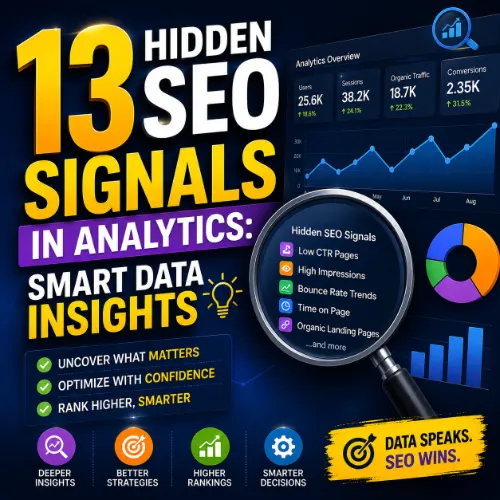
hidden SEO signals in analytics Key Takeaways
Most site owners look at traffic volume and bounce rate, but the real ranking clues live deeper inside your analytics platform.
- Learn which hidden SEO signals in analytics separate high-ranking pages from underperformers.
- Discover how to spot trust signals like branded search volume and returning visitor ratio.
- Get actionable steps to turn analytics data into a clear SEO improvement plan.
Why Hidden SEO Signals in Analytics Matter More Than Surface Metrics
Standard dashboards show pageviews and sessions, but they rarely tell you why a page ranks or why it drops. Hidden SEO signals in analytics are the behavioral and technical clues that reveal search engine trust, content relevance, and user satisfaction. When you learn to read these signals, you stop guessing and start optimizing with precision.
For example, two pages might both have 1,000 monthly visits. One page converts at 5% and earns high dwell time, while the other has a 90% bounce rate and zero conversions. The first page will likely rank higher and hold its position longer. The metrics behind that difference are the signals you need to track.
Signal 1: Organic Click-Through Rate (CTR) from Search Console
Most people check Google Search Console for impressions and clicks, but the organic CTR is a powerful SEO signal often overlooked. A low CTR relative to average position suggests your title tag and meta description aren’t compelling enough to earn the click.
How to Find It
Open Google Search Console, go to the Performance report, and click on the CTR column. Sort by impressions and look for pages with high impressions but below-average CTR. Pay special attention to pages sitting in positions 3-5, because those have the most room to improve with better snippet optimization.
What It Means
A CTR below 2% for a page in position 3-5 indicates a mismatch between search intent and your snippet. Rewrite the title and meta description to match what users actually want. Test different angles — listicles, how-to guides, or data-backed claims often outperform generic descriptions.
Signal 2: Returning Visitor Ratio as a Trust Indicator
Search engines don’t use returning visitor data directly in their algorithms, but a high returning visitor ratio correlates with content quality and brand trust. When people come back, it signals usefulness and authority — two qualities that align with how Google evaluates expertise. For a related guide, see 13 Proven Content Promotion Strategies for SEO Success.
How to Find It
In Google Analytics 4, go to Reports > Life cycle > Retention. Look at the User retention overview and check the percentage of users who return within 7 days. Anything above 15% suggests strong engagement; below 5% indicates your content is a one-hit wonder.
What It Means
A low returning visitor ratio means your content solves an immediate need but doesn’t build a relationship. Create follow-up content, email newsletters, or series-style articles that encourage return visits. Track this SEO signal in analytics monthly to see if your retention efforts pay off.
Signal 3: Pages per Session on Organic Traffic
Pages per session is a basic engagement metric, but segmenting it by organic traffic reveals how well your content holds attention. A high number means visitors explore your site, which increases dwell time and reduces pogo-sticking — both positive signals for search engines.
How to Find It
In GA4, create a segment for organic traffic. Then go to Reports > Engagement > Pages and screens. Compare the average pages per session for organic visitors versus other channels. If organic users view fewer pages, your content likely fails to guide them to related resources.
Optimization Tip
Add contextual internal links within the first 200 words of your articles. Link to supporting guides, case studies, or related products. This simple change can boost pages per session by 20-30% and improve your site’s perceived value.
Signal 4: Average Engagement Time by Device
Engagement time (or dwell time) is the actual time a user spends actively interacting with your page. Google doesn’t confirm it as a ranking factor, but multiple studies show a strong correlation between longer engagement and higher rankings.
How to Find It
In GA4, go to Reports > Engagement > Engagement overview. Look at Average engagement time per session, then break down by device category. Pages with mobile engagement under 30 seconds need faster loading, better formatting, or more scannable content.
What It Means
If desktop users spend 60 seconds on a page but mobile users average 15 seconds, you have a mobile experience problem. Use Google’s Mobile-Friendly Test to identify issues, then simplify layouts and increase font sizes.
Signal 5: Branded vs. Non-Branded Search Volume Trends
Branded search volume is a direct hidden SEO signal of brand awareness and trust. When more people search for your brand, it tells Google your business matters. A growing gap between branded and non-branded traffic often signals that your content strategy is working.
How to Find It
In Google Search Console, use the Queries filter. Enter your brand name as a custom query filter. Compare branded query impressions and clicks against your total performance. Also check Google Trends for your brand name to see if interest is rising.
What It Means
If branded search volume grows month over month, your off-site reputation is improving. If it’s flat while competitors grow, invest in PR, guest posting, and social media presence to increase brand mentions.
Signal 6: Scroll Depth for Key Pages
Scroll depth measures how far down a page a user actually scrolls. This SEO signal in analytics reveals whether your content holds attention past the fold. If users don’t scroll, they don’t see your full argument or calls to action.
How to Find It
GA4 doesn’t include scroll depth by default. Enable the Scroll tracking Enhanced Measurement event. Then navigate to Reports > Engagement > Events and filter for the scroll event. Examine the scroll depth parameter — aim for average depths above 60% for informational content.
Optimization Tip
Break up long paragraphs, use compelling subheadings, and place your most important information within the first 30% of the page. If scroll depth is low, move key points higher and use visual breaks to invite continued reading.
Signal 7: Conversion Rate by Landing Page (Organic)
Conversion rate isn’t just for e-commerce. A page that generates email signups, comments, or ad clicks signals high engagement. Google uses user interaction signals to infer page quality, so pages with strong conversion rates often rank better.
How to Find It
In GA4, set up a goal or key event for the conversion you care about (e.g., newsletter signup, form submit). Then create an exploration report filtered by Session source / medium = google / organic. Sort landing pages by conversion rate.
What It Means
If high-traffic pages have low conversion rates, your content may attract the wrong audience or lack a clear next step. Add relevant calls to action that match the user’s stage in the buyer’s journey.
Signal 8: New vs. Returning Users Ratio Over Time
The ratio of new users to returning users tells you if your content attracts fresh audiences while still retaining existing ones. A healthy balance is 60-70% new visitors and 30-40% returning visitors for most content sites.
How to Find It
In GA4, go to Reports > Life cycle > Acquisition > User acquisition. Switch the primary dimension to First user medium and filter for organic. Compare new and returning user counts month over month.
What It Means
If returning users are dropping, your content may no longer meet expectations. Publish update posts for older articles and create community features like comments or forums to encourage repeat visits. If new users are stagnant, expand your keyword targeting or invest in content promotion.
Signal 9: Site Speed for Specific Pages (Core Web Vitals)
Site speed is an official ranking factor, but many site owners check only the overall report. The real hidden SEO signal is the page-level breakdown of Core Web Vitals. A single slow page can drag down your entire site’s perceived quality.
How to Find It
Open Google Search Console and go to Core Web Vitals report. Filter by the specific page group. Pages that fail LCP (Largest Contentful Paint) above 2.5 seconds need image optimization, faster server response, or better caching.
What It Means
A page with poor Core Web Vitals may rank lower despite great content. Use PageSpeed Insights to get specific recommendations for each URL. Prioritize fixes for pages that bring the most organic traffic.
Signal 10: Internal Link Click Rate
Internal links help search engines understand your site structure and distribute authority. But the SEO signal in analytics lies in which internal links users actually click. High click rates on internal links indicate strong topical connections and user interest.
How to Find It
In GA4, go to Reports > Engagement > Events. Filter for the click event and add a parameter for link_url. Look for internal links that receive the most clicks from organic visitors. Compare this data to your content architecture.
Optimization Tip
If users rarely click internal links, your anchor text may be unclear or placed too low. Add contextual links early in your content and use descriptive anchor text that includes keywords naturally. Track click-through rates and optimize low-performing links.
Signal 11: Exit Pages and Drop-Off Points
Exit pages show where users leave your site. While high exit rates are normal on pages like contact or checkout, high exit rates on informational blog posts signal content failure. This hidden SEO signal helps you identify pages that fail to keep users engaged.
How to Find It
In GA4, go to Reports > Engagement > Pages and screens. Look at the Exits column. Sort by high exit counts and filter for organic traffic. Focus on pages where the exit rate exceeds 70%.
What It Means
Pages with high exit rates may have weak internal links, poor readability, or irrelevant content. Add clear next steps — such as a related article link, a video embed, or a download offer — to reduce exits and increase dwell time.
Signal 12: Search Query Position Changes (Movers)
Rank tracking tools show your current position, but the rate of change is a more nuanced SEO signal. A page that slowly climbs from position 15 to 10 over three months is building trust; a page that jumps from 50 to 5 overnight may be volatile and prone to drops.
How to Find It
In Google Search Console, use the Performance report and add the Date range comparison feature. Compare the last four weeks to the previous four weeks. Look for queries where position improved by more than 2 positions — those are your growth opportunities.
What It Means
Pages with steady upward movement are ripe for further optimization. Add more depth, update statistics, and build internal links to those pages. If pages are dropping, check for recent algorithm updates or competitive content improvements.
Signal 13: Google Business Profile Insights (for Local SEO)
For local businesses, the hidden SEO signal in analytics is not in your website analytics but in your Google Business Profile insights. The number of direction requests, phone calls, and website clicks from your profile directly correlates with local map pack rankings. For a related guide, see AI vs Google Analytics: 5 Smart SEO Insights You Can Trust.
How to Find It
Log into your Google Business Profile dashboard. Go to Insights > Performance. Look at the total number of actions: website clicks, direction requests, and phone calls. Track these monthly and compare them against your local competitor profiles.
What It Means
If your profile actions are increasing but your local ranking is flat, you may need more reviews or better-optimized categories. Respond to reviews, add fresh photos, and post updates regularly. Each positive interaction signals relevance to Google’s local algorithm.
How to Act on Hidden SEO Signals in Analytics
Finding the signals is only half the battle. To improve your rankings, create a monthly review process:
- Export Google Search Console data for organic CTR and average position.
- Create a GA4 dashboard that includes returning visitor ratio, average engagement time, and conversion rate by landing page.
- Run a Core Web Vitals report for your top 20 organic pages.
- Identify pages with high exit rates or low scroll depth and add internal links or better calls to action.
- Track branded search volume trends monthly using Google Trends or Search Console query data.
By combining these hidden SEO signals in analytics, you’ll spot opportunities that competitors miss and build a data-backed content strategy that drives sustainable organic growth.
SEO Entities and Their Functions
Understanding how analytics platforms categorize and measure data helps you interpret signals more accurately. Here are key entities that influence how SEO signals appear in your reports:
- Website / Domain entities: Root domain, subdomain, and URL-level analysis show whether performance belongs to the whole site or a specific section like blog.example.com.
- Keyword entities: Organic keywords, keyword difficulty, search volume, and SERP features reveal demand, competition, and ranking opportunity.
- Backlink entities: Referring domains, anchor text, and new/lost backlinks explain authority and link quality that affect organic trust signals.
- Page entities: Top pages by traffic and by links identify which URLs earn visibility and where to focus optimization.
- Content entities: Articles, authors, topics, and social shares help evaluate editorial quality and engagement.
- SERP entities: Featured snippets, People Also Ask, and AI Overviews show what content format the search result rewards.
- Technical SEO entities: Crawl issues, canonicals, duplicate content, and Core Web Vitals expose obstacles preventing good rankings.
- Competitor entities: Competing domains and content gap opportunities show where rivals win traffic and where you can catch up.
- Link building entities: Link opportunities, broken link prospects, and unlinked mentions turn analysis into actionable outreach targets.
- Metrics entities: Domain Rating, organic traffic, traffic value, and referring domains count summarize market value and visibility.
- Local SEO entities: City-specific keywords, local SERP packs, and local competitors connect campaigns to correct geography and intent.
- Brand / Topic entities: Brand mentions, parent topics, and search intent categories clarify semantic relationships and topical authority.
Useful Resources
Deepen your understanding of analytics signals with these expert guides:
- Google Search Console Performance Report Help — Official documentation on clicks, impressions, and CTR analysis.
- Ahrefs Blog: 15 SEO Metrics That Actually Matter — Comprehensive breakdown of key metrics and how to track them.
Conclusion: Mastering hidden SEO signals in analytics transforms guesswork into a repeatable optimization process. Start with the 13 signals listed here, build a monthly review routine, and watch your organic performance improve consistently.
Frequently Asked Questions About hidden SEO signals in analytics
What are hidden SEO signals in analytics?
Hidden SEO signals in analytics are less obvious metrics that reveal aspects of search performance, trust, and user engagement not captured by basic pageview or bounce rate data. Examples include organic click-through rate, returning visitor ratio, and scroll depth.
Why should I track hidden SEO signals in analytics?
Tracking these signals gives you a competitive edge by uncovering specific areas for improvement. Instead of guessing why a page ranks or drops, you see direct behavioral and technical data that guides your optimization strategy.
Can hidden SEO signals in analytics replace rank tracking?
No, they complement rank tracking. Rank tracking shows where you stand; hidden signals show why you stand there and how to improve. Use both together for a complete picture.
How often should I check hidden SEO signals in analytics?
Monthly is ideal for most signals like returning visitor ratio and CTR. Core Web Vitals and scroll depth should be checked weekly or after major content updates to catch issues quickly.
What tool do I need to find hidden SEO signals in analytics?
Google Search Console and Google Analytics 4 are free and cover most signals. For deeper analysis, consider tools like Ahrefs, SEMrush, or Hotjar for scroll maps and user recordings.
Is bounce rate a hidden SEO signal in analytics?
Bounce rate is a common metric, not hidden. But interpreting bounce rate by content type and traffic source is a hidden signal. For example, a high bounce rate on a blog post may be normal, while a high bounce rate on a product page signals a problem.
How does organic CTR help SEO?
Organic CTR tells search engines that your snippet matches user intent. A high CTR from a good position signals relevance, which can improve rankings. Improving CTR alone can boost traffic without changing content.
What is a good returning visitor ratio for SEO?
For content sites, 30-40% returning visitors is healthy. For e-commerce, 20-30% is typical. Below 15% suggests weak engagement or a one-time traffic source.
Does scroll depth affect rankings directly?
Not directly, but Google uses user interaction signals like scroll depth as a proxy for content quality. Pages where users scroll further tend to rank better because they indicate higher engagement.
How can I increase average engagement time?
Improve content scannability with subheadings and bullet points, embed videos or infographics, and add interactive elements like quizzes. Also, ensure your page loads under 2 seconds on both desktop and mobile.
What is branded search volume and why does it matter?
Branded search volume is the number of searches for your company or product name. It matters because Google sees brand queries as trust signals. Growth in branded search indicates rising brand awareness and authority.
How do I track branded search volume?
Use Google Search Console with a query filter for your brand name, or use Google Trends to see relative interest. Track it monthly alongside non-branded traffic trends.
What should I do if my exit rate on blog posts is high?
Add 2-3 contextual internal links within the first 200 words, offer a related article recommendation at the bottom, and include a relevant call to action like a newsletter signup or download offer.
How do Core Web Vitals affect rankings?
Core Web Vitals are a ranking signal in Google’s page experience update. Poor LCP, FID, or CLS scores can cause a page to rank lower even if its content is superior to competitors.
What is the difference between new and returning users for SEO?
New users indicate reach and attraction; returning users indicate retention and trust. A healthy ratio shows your site both attracts fresh audiences and provides value that brings people back.
How do internal link clicks help SEO?
Internal link clicks help search engines discover important pages and spread link equity. They also keep users on your site longer, which signals content value to search engines.
Can Google Business Profile insights improve local SEO?
Yes. Actions like direction requests, calls, and website clicks from your profile signal relevance to Google’s local algorithm. More actions often correlate with higher map pack rankings.
How do I find hidden SEO signals for local businesses?
Use your Google Business Profile insights to track actions and compare them to competitors. Also monitor local keyword performance in Google Search Console filtered by city or region.
What is the most overlooked hidden SEO signal in analytics?
Organic click-through rate by page and device is often overlooked. Most site owners check average CTR but miss the page-level breakdown, which reveals exactly which snippets need rewriting.
Should I automate the tracking of hidden SEO signals in analytics?
Yes, where possible. Use GA4 custom dashboards, Looker Studio reports, or tools like Ahrefs to automate monthly data collection. This saves time and ensures you catch trends before they become problems.