
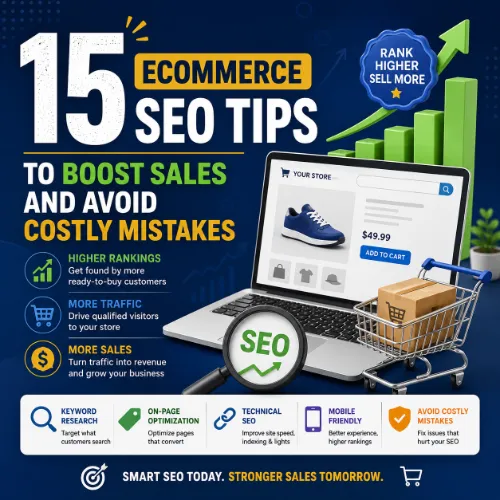
eCommerce SEO tips Key Takeaways
Mastering eCommerce SEO tips is the difference between a store that struggles for visibility and one that converts traffic into consistent revenue.
- Prioritizing eCommerce SEO tips like keyword research and on‑page structure can double your organic traffic within months.
- Ignoring technical fundamentals — duplicate content, slow page speed, broken links — undermines every other SEO effort.
- A strategic internal linking and review acquisition plan builds authority that directly drives more sales.
Why eCommerce SEO Tips Matter for Your Bottom Line
Organic search remains the highest‑converting channel for online stores. Shoppers arrive with intent — they are already looking for what you sell. Yet many store owners invest in ads while leaving organic visibility on the table. Implementing the right eCommerce SEO tips ensures your product pages, category pages, and content answer real buyer questions and rank above competitors. For a related guide, see 15 AI Content Tools Compared: Expert Picks and Mistakes to Avoid.
When you optimize for both search engines and humans, you reduce customer acquisition costs and build a sustainable traffic asset. Each of the following tips is actionable today and directly ties to increasing sales.
15 Actionable eCommerce SEO Tips to Drive More Sales
1. Conduct Keyword Research with Buyer Intent in Mind
Not all keywords are equal. Someone searching “best running shoes for flat feet” is closer to a purchase than someone typing “running shoes.” Use tools like Ahrefs or Google Keyword Planner to find terms with medium to high search volume and clear purchase intent. Build your product pages around those specific, high‑intent phrases.
2. Optimize Product Titles for Both Users and Search
Your product title should include the primary keyword, brand, and key differentiator (size, color, material). Keep it under 70 characters so it doesn’t get truncated in search results. For example, “Merino Wool Hiking Socks – Men’s Cushioned Crew for Trail Running” performs better than “Socks – Men’s.”
3. Write Unique Product Descriptions (Never Use Manufacturer Copy)
Duplicate content across hundreds of product pages is a common eCommerce mistake. Each product needs a unique description that highlights benefits, uses sensory language, and naturally includes secondary keywords. Even a paragraph of original copy can make a significant ranking difference.
4. Use High‑Quality Images with Proper Alt Text
Images enrich the shopping experience, but they also appear in image search. Name your image files descriptively (e.g., “blue-cotton-tote-bag.jpg”) and write alt text that includes the target keyword where natural. This improves accessibility and can pull extra traffic from Google Images.
5. Create Detailed Category and Subcategory Pages
Category pages are often the second most important entry point after the homepage. Write a short, helpful description at the top of each category that explains what the shopper will find. Use internal links to guide users to subcategories and top products. This strengthens topical relevance for broader search queries.
6. Leverage Customer Reviews and Structured Data
Customer reviews add fresh, user‑generated content to product pages and build trust. Implement review schema (structured data) so that star ratings can appear in search results. Rich snippets increase click‑through rates by up to 30%, directly translating into more sales. For a related guide, see 11 AI SEO Experiments: Smart Ways to Boost Your Rankings.
7. Build a Smart Internal Linking Structure
Guide both users and search engines through your store with contextual internal links. Link from blog posts to related product pages, from product pages to complementary items, and from category pages to subcategories. This distributes link equity and helps search engines understand your site hierarchy.
8. Speed Up Your Site for Mobile and Desktop
Page speed is a confirmed ranking factor and a critical part of user experience. Compress images, use a content delivery network (CDN), minimize JavaScript, and leverage browser caching. Tools like Google PageSpeed Insights or GTmetrix will show you exactly where to improve.
9. Fix Broken Links and Redirect Old URLs
Broken links frustrate users and waste crawling budget. Regularly audit your site for 404 errors and set up 301 redirects for any product or category pages that have moved. This preserves link equity and ensures visitors never hit a dead end.
10. Secure Your Site with HTTPS
Shoppers expect a secure checkout. HTTPS is a lightweight ranking signal and a trust signal. If your store is still on HTTP, migrate immediately. Most hosting providers offer free SSL certificates through Let’s Encrypt.
11. Create Helpful Blog Content That Answers Buyer Questions
A blog is your best tool for ranking on informational queries that lead to purchases. Write guides, buying advice, and product comparisons. Each post should link to the relevant product or category page. Over time, this content earns backlinks and topical authority that lifts the entire domain.
12. Optimize for Voice and Long‑Tail Search
With the rise of voice assistants, more queries are conversational. Include question‑based phrases like “what is the best waterproof jacket for hiking” in your product FAQs or blog content. These long‑tail terms often result in higher conversion rates because they capture highly specific intent.
13. Use Schema Markup Beyond Reviews
Beyond review stars, implement product schema (price, availability), FAQ schema, and breadcrumb markup. This helps search engines display rich results that make your listings stand out. For example, a product page with price and stock status in the snippet can attract more qualified clicks.
14. Build Backlinks Through Partnerships and Content
Backlinks remain a top ranking factor. Reach out to relevant bloggers for product reviews, contribute guest posts to industry sites, or create linkable assets like infographics and original research. Each quality backlink signals authority to Google.
15. Monitor Performance with Regular Site Audits
SEO is not a set‑and‑forget activity. Use tools like Google Search Console, Ahrefs Site Audit, or Screaming Frog to check for technical issues monthly. Track your keyword rankings, organic traffic, and conversion rates. Adjust your eCommerce SEO tips approach based on real data, not guesswork.
SEO Entities and Their Functions
Understanding the building blocks of SEO helps you make smarter decisions. Here are the core entities that affect your store’s performance:
- Keyword Entities: Organic keywords with high buyer intent and low keyword difficulty (KD) are your quickest path to rankings. Focus on terms where search volume balances with realistic competition.
- Backlink Entities: Referring domains from authoritative, relevant sites carry the most weight. Use tools to identify new and lost backlinks, and prioritize outreach to high‑DR prospects.
- Technical SEO Entities: Crawl errors, duplicate content, and slow Core Web Vitals metrics are common obstacles. Regular site audits help you fix these before they harm rankings.
- Page Entities: Your top pages by traffic and links reveal what content resonates. Double down on those formats and identify broken pages that need repair.
- SERP Entities: Featured snippets and People Also Ask boxes present opportunities. Structure your product FAQs and comparison content to target these rich results.
Useful Resources
Deepen your knowledge of eCommerce SEO with these trusted sources:
Start implementing these eCommerce SEO tips today to turn your store into a traffic‑driving, sales‑generating machine. Every small change compounds over time.
Frequently Asked Questions About eCommerce SEO tips
What is the most important eCommerce SEO tip for a new store?
Start with thorough keyword research. Without understanding what customers search for, your optimization efforts may target the wrong terms and miss potential traffic.
How long does it take to see results from eCommerce SEO?
Typically 3 to 6 months for meaningful traffic increases, though some product pages with low competition can rank faster. Consistency and quality matter more than speed.
Can I do eCommerce SEO myself without hiring an agency?
Yes. Many store owners learn the fundamentals and implement the tips listed above themselves. However, technical audits and link building may require advanced skills.
Should I optimize product pages for one keyword or multiple?
Focus on one primary keyword per page, but naturally include 2–3 related long‑tail variations. Avoid stuffing — clarity for the shopper comes first.
How do I find keywords with high buyer intent?
Look for terms that include words like “buy,” “best,” “review,” “for [use case],” or specific product attributes. Tools like Ahrefs and Semrush have intent filters.
Do customer reviews really help SEO?
Yes. Reviews add fresh content, naturally include keywords, and when marked up with schema, can display star ratings in search results that increase click‑through.
What is a 301 redirect and when should I use it?
A 301 redirect permanently sends users and search engines from an old URL to a new one. Use it when you delete a product page or move content to a new URL.
How many products should I have before starting SEO?
There is no minimum. Even a single product store can rank well if the page is optimized. More products create more opportunities to rank for different keywords.
Is duplicate content a huge problem for eCommerce stores?
It can be. Many stores use the same manufacturer description for similar products. Write unique descriptions for each product to avoid being flagged as duplicate.
What is a site audit and how often should I run one?
A site audit checks for technical issues like broken links, crawl errors, and slow pages. Run one at least monthly using tools like Ahrefs or Screaming Frog.
Do backlinks still matter for eCommerce SEO in 2025?
Absolutely. Backlinks remain one of Google’s top ranking signals. Focus on earning links from relevant blogs, industry sites, and product review pages.
Should I use the same keyword on my homepage and product pages?
No. Avoid competing with yourself. Assign distinct primary keywords to your homepage, category pages, and product pages so each can rank independently.
How can I speed up my eCommerce site without a developer?
Use plugins for image compression and caching on WordPress (e.g., Smush, W3 Total Cache). Choose lightweight themes and limit unnecessary apps or scripts.
What is schema markup and how do I add it?
Schema markup is code that helps search engines understand your content. On WordPress, plugins like Yoast SEO or Rank Math can automatically add product and review schema.
Can a blog really help sell products?
Yes. Informational blog posts attract shoppers at the research stage and guide them to product pages with strategic internal links. Over time, blog content also earns backlinks.
Should I focus on long‑tail or short keywords?
Start with long‑tail keywords because they have lower competition and higher conversion intent. Once you rank well, gradually target broader terms.
How do I optimize product images for SEO?
Use descriptive file names, add alt text that includes your keyword, compress images for faster loading, and consider using next‑gen formats like WebP.
Is social media activity a direct SEO ranking factor?
No, but social signals can amplify content visibility, leading to more backlinks and traffic, which indirectly helps SEO.
What is the biggest mistake stores make with SEO?
Ignoring technical health. Even well‑written product pages won’t rank if the site has duplicate content, slow load times, or crawl errors.
How do I track whether my SEO efforts are increasing sales?
Set up Google Search Console and Google Analytics. Track organic traffic, goal conversions, and eCommerce revenue attributed to organic search.